
Hidden Word Puzzle
Play Count0
Published2026-03-17
Supported DevicesPC + Mobile
CategoryAdventure & RPG
Rating★★★★★5.0Rate this game
📝Hidden Word Puzzle Overview
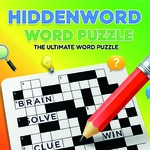
Think you can spot every word hiding in plain sight? Hidden Word Puzzle turns a jumble of letters into a brain-tingling hunt that keeps you clicking until you've found them all.
💬What is Hidden Word Puzzle?
I loaded up Hidden Word Puzzle expecting a basic word search, but the click-to-select mechanic kept me locked in. The grid sits there looking innocent, full of letters that form words in every direction—horizontal, vertical, diagonal, sometimes even backwards if you're unlucky. You don't just spot a word and trace it with your finger; you click each letter one by one, and the word builds in a display box above the puzzle. Mess up? Click the letter again to deselect it. No penalty, just you versus the grid.
The first time I spotted "BECAUSE" snaking diagonally through the grid after staring at the same cluster of letters for three minutes, I actually said "there it is" out loud. That's the moment this game gets its hooks in. You start scanning for uncommon letters—Q, X, Z—because they anchor longer words and break the visual noise. Then you realize the edges are treasure troves. Words love to start or end along the border, so I always sweep the perimeter before diving into the middle.
What I appreciate most is that Hidden Word Puzzle doesn't insult your intelligence. The word list is varied enough that you might learn a new word or two, and the difficulty ramps up without becoming unfair. If you get stuck, stepping away for five minutes works wonders—fresh eyes catch what tired ones skip. It's a perfect alt-tab break game, and on mobile the tap controls feel just as tight as a mouse.
👥How to Play Hidden Word Puzzle
Main Controls
Select Letters: Click (or tap on mobile) on individual letters in the grid to form a word. The word you are spelling will appear in the display box above the main buttons.
Deselect a Letter: If you make a mistake, simply click the selected l
✨Game Tips
Scan for uncommon letters like Q, X, or Z first—they anchor words and pop out among the vowels.
Don't sleep on diagonals; some of the trickiest words hide along slanted lines.
Use the display box to track what you've already spelled so you don't re-click the same letters.
Sweep the outer edges of the grid before tackling the middle—words often start or end there.
If a word isn't clicking, try reading the grid backwards or bottom-to-top; your brain gets used to left-to-right scanning.
Take a quick break when stuck; coming back with fresh eyes usually reveals the word you were missing.
🔧FAQ
Q: Is Hidden Word Puzzle free to play?
A: Yes, it's completely free on unblocked games sites.
Q: Do I need to download anything to play?
A: No, it runs directly in your browser as HTML5.
Q: Can I play on my phone or tablet?
A: Yes, tap the letters on the touchscreen to select them.
Q: What if I click the wrong letter?
A: Just click or tap it again to deselect it—no penalty.
Q: Are words always in straight lines?
A: Most are horizontal, vertical, or diagonal, but always straight.
Q: Does the game give hints if I'm stuck?
A: Some versions include a hint button, so check the in-game controls.