
Horse Jumping Show 3D
Play Count0
Published2019-08-29
Supported DevicesPC
CategoryAdventure & RPG
Rating★★★★★5.0Rate this game
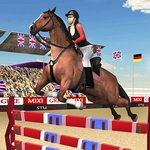
📝Horse Jumping Show 3D Overview
Guide a powerful show jumper through tricky courses, perfecting takeoff timing and stride control to avoid knocking rails.
💬What is Horse Jumping Show 3D?
I'll admit, my first few runs ended with half the rails on the ground and a very annoyed digital horse. That's the real hook here — it's not just mashing spacebar and hoping. You actually have to ride the line. The 3D perspective keeps the next fence in view, and you'll learn quickly that leaning into a turn too fast (speed 3, I'm looking at you) sends your jump off-balance. The horse reacts to your inputs with just enough weight to feel real, but not so much that it becomes a simulator.
Before you can even trot, you'll need to press F to saddle up. Miss that step and you're just standing in the stable looking silly. Once mounted, WASD moves you around the course, Space is your jump, and the number keys 1–3 adjust your speed. The sweet spot is usually speed 2 for most combinations — fast enough to clear wide oxers, slow enough to collect before a vertical. One moment that stuck with me: I came into a triple combination too hot, cleared the first two, then clipped the back rail of the third because my horse's hind legs were still stretching from the previous jump. That's the kind of detail that makes you respect the distance, not just the fence height.
It's not a long game by any stretch, but each clear round gives you a little more confidence to push the pace. There's no timer, so it's about clean jumping over raw speed. If you mess up, the rails fall and the scoring stings. That loop — retry, adjust, nail it — kept me coming back for a few rounds after I told myself I was done. Just don't expect a career mode or horse customization; this is a focused, no-frills jumping challenge that does one thing well.
👥How to Play Horse Jumping Show 3D
WASD - Control
Space - Jump
1-3 - Change Of Speed
F - saddle a horse
✨Game Tips
Drop to speed 1 before tight turns or combinations—you'll set up the next jump much cleaner.
Hit Space a stride earlier than feels natural when a fence looms large; late jumps knock rails with hind hooves.
Keep the horse perfectly straight on approach. Angled takeoffs almost always cost you a rail.
Press F to saddle before trying to move; the horse won't respond until you're properly mounted.
While airborne over one fence, spot the next obstacle and start steering your landing line mid-air.
🔧FAQ
Q: Is Horse Jumping Show 3D free to play?
A: Yes, it's completely free in your browser with no paywalls or hidden fees.
Q: Can I play Horse Jumping Show 3D on mobile?
A: The game works on mobile browsers but performs best with a keyboard, since touch controls aren't precise.
Q: Do I need to download anything to play?
A: No download needed. It runs directly in your browser as an HTML5 game.
Q: What are the controls for Horse Jumping Show 3D?
A: Use WASD to move, Space to jump, number keys 1–3 to change speed, and F to saddle the horse.
Q: Can I change horses or customize my rider?
A: No, the game offers a single horse and rider setup. Customization isn't part of this version.
Q: Is there a multiplayer mode?
A: No, it's a single-player experience only. You compete against your own best rounds.