
Huggy Skate
Play Count0
Published2022-03-04
Supported DevicesPC + Mobile
CategoryAdventure & RPG
Rating★★★★★5.0Rate this game
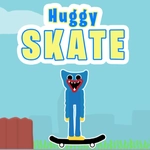
📝Huggy Skate Overview
Grind rails, dodge crates, and pull off double-jump saves in Huggy Skate — a twitchy little obstacle dash that punishes hesitation.
💬What is Huggy Skate?
Huggy Skate throws you onto a board and asks one thing: don't faceplant. It's a side-scrolling obstacle runner where the window between 'cool line' and 'broken teeth' is about half a second. You get two moves — A to brake, W to jump, with a double jump on tap — and that's it. On mobile, the same actions sit on touch zones, which I found way less forgiving than keyboard.
The double jump is the star. The first hop gets you over low crates; the second gives you just enough hang time to clear stacked barriers or adjust mid-air. I kept dying because I'd use both jumps too early, then coast straight into a wall. Learning to save that second jump until you see the landing spot changes everything. And the A key? It's not a gentle brake. It's a full stop, which feels weird on a skateboard but works for precision stops before collapsing platforms.
The adventure tag is fair — there's a sense of progression as the terrain shifts and the gaps widen. It's not a deep story, but the rhythm of skate, stop, double jump becomes strangely addictive. If you've got quick thumbs or fingers, you'll find a satisfying flow. If not, expect a few restarts. Either way, Huggy Skate is the kind of unblocked game you open for five minutes and lose twenty to.
👥How to Play Huggy Skate
PRESS "a" KEY to stop.
press the "w" key to jump.
You can jump twice.(double jump)
mobile touch control
✨Game Tips
Tap W twice fast for the double jump — it's the only way over stacked obstacles.
A is a hard stop, not a slow down. Use it right before a gap to kill all momentum.
On mobile, keep one thumb on the jump zone and one on the brake; crossing them over gets messy.
Wait to see the landing before using your second jump. Early double jumps end in faceplants.
Watch the ground markings and shadow cues to judge obstacle spacing before you commit.
🔧FAQ
Q: Is Huggy Skate free to play?
A: Yes, Huggy Skate is completely free in your browser — no download, no sign-up, no hidden paywall.
Q: Can I play Huggy Skate on my phone?
A: Yes, mobile touch controls are built in. Tap the left side to stop, tap the right side to jump (and twice for double jump).
Q: Do I need to download anything to play Huggy Skate?
A: No download is required. Huggy Skate runs on HTML5, so it works directly in any modern web browser.
Q: What does the A key do in Huggy Skate?
A: Pressing A brings you to a complete stop. It's useful for timing drops and avoiding over-shooting ledges.
Q: Can I play Huggy Skate at school?
A: Yes, it's unblocked and browser-based. As long as your school allows HTML5 games, you can play without installing anything.
Q: Why does my character keep falling after a double jump?
A: You might be using both jumps too early. Save the second jump until you actually see where you need to land.