
Hyena Simulator 3D
Play Count0
Published2020-11-12
Supported DevicesPC
CategoryAdventure & RPG
Rating★★★★★5.0Rate this game
📝Hyena Simulator 3D Overview
Sniff out prey across a dusty 3D savanna, then shift gears and snap your jaws down on any creature foolish enough to wander close.
💬What is Hyena Simulator 3D?
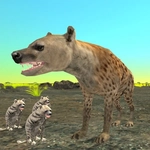
You're a hyena. That's it. No tutorial, no hand-holding, just a yellow-brown 3D wilderness full of things that either run from you or want to kill you. Movement is WASD or arrow keys, and the number keys 1, 2, 3 switch your running speed — 1 is a lazy trot, 3 is a full sprint that burns nothing but gets you across the map fast. Shift also toggles speed, though I found tapping 3 while circling a herd of antelope works better. Attack is left click, a short-range bite. The moment of truth: you line up on a fleeing gazelle, hit 3, close the gap, and click at the last second. The bite connects, the animal ragdolls, and you drag it off before a bigger hyena or lion shows up.
Combat is simple but satisfying. You're not the top of the food chain, so you learn to pick targets. Young wildebeest, lone jackals, maybe a weakened zebra — anything bigger and you're the one running. The AI isn't brilliant, but it's predictable enough to exploit: predators will chase you for a while, then give up if you put distance between you. That's where the speed control shines. I kept a thumb on the 1 key to bait a lion, then hit 3 and bolted when it lunged. That loop of risk and retreat kept me coming back.
There's no story or quest list, just survival and exploration. The map is a decent size, with rocky outcrops, dry riverbeds, and scattered trees. You can pick fights, scavenge kills from other predators, or just run around. It won't win awards for graphics, but the movement feels okay and the bite has a meaty crunch sound. If you're into animal simulators, this one's worth a shot for an afternoon.
👥How to Play Hyena Simulator 3D
“WASD” or “Arrow” keys - move around
Switch the speed of Hyena with the “number keys 1, 2 and 3” or “Shift” key
Left Mouse Button - attack your enemy
✨Game Tips
Use speed 1 to approach prey without spooking it, then smash 3 just before you attack.
Left click is your only attack — time it when the target is centered, not when it's off to the side.
Pick fights with smaller animals first. A lone hyena dies fast against lions or buffalo.
If a predator locks onto you, run toward rocks or water — many will break off the chase.
Shift is faster than tapping keys, but it only cycles one speed; number keys give you exact control.
Listen for the bite crunch. If you don't hear it, you missed, and the prey will bolt.
🔧FAQ
Q: Is Hyena Simulator 3D free?
A: Yes, it's completely free to play in your browser with no hidden charges.
Q: Can I play Hyena Simulator 3D on mobile?
A: The game works best with a keyboard, but many touchscreen browsers can still run it with on-screen controls.
Q: Do I need to download anything?
A: No download or install is needed. It loads directly as an HTML5 game.
Q: What are the controls?
A: Move with WASD or arrow keys, switch speed with number keys 1, 2, 3 or Shift, and attack with left mouse click.
Q: Why is my hyena moving so slowly?
A: You're probably on speed 1. Press 3 or tap Shift to switch to a faster run.
Q: Can I play this at school or work?
A: Yes, since it's unblocked and browser-based, it usually bypasses network filters.