
Instruments Kids
Play Count0
Published2021-06-03
Supported DevicesPC + Mobile
CategoryKids & Educational
Rating★★★★★5.0Rate this game
📝Instruments Kids Overview
Tap a shiny trumpet, bang a bright drum, or tickle some piano keys — then watch your little one grin at every silly sound.
💬What is Instruments Kids?
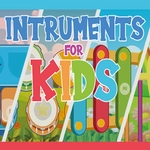
I wasn't expecting much from a kids' instrument game, but Instruments Kids genuinely held my toddler's attention longer than most flashy apps. You get a screen full of bright, chunky instruments — trumpet, drum, guitar, piano, maybe a maraca or two — and clicking or tapping any of them triggers a short, clear sound. No menus to fight. No ads interrupting. Just the instrument and the noise it makes.
What surprised me is how the game rewards experimentation. My nephew figured out within minutes that he could hit the drum repeatedly to make a rhythm, then layer the piano on top. It's not a full music sequencer, but it's enough to feel like making music rather than just mashing buttons. The visuals are deliberately simple: rounded shapes, primary colors, big hit areas. That's exactly what you want for tiny hands on a touchscreen or a shaky mouse grip.
There's no score, no timer, no lose condition — which means it's perfect for handing over to a preschooler without hovering. I'd put it in the same bucket as Baby Hazel stuff, except even more stripped down. If you need five minutes to drink coffee while your kid bangs on a cartoon xylophone, this does the job. Older kids will get bored after a couple minutes, but for the 2-5 crowd it's a legit free win.
👥How to Play Instruments Kids
Use the mouse or touch to interact
✨Game Tips
Let your kid tap everything — there's no penalty for mashing.
Try hitting the drum and piano at the same time to layer sounds.
Use a touchscreen if you have one; the buttons are big enough for chubby fingers.
No need to read anything; just click and listen.
If the sound gets annoying, mute the browser tab instead of quitting.
Watch which instrument your child returns to — it's a fun clue about what music they like.
🔧FAQ
Q: Is Instruments Kids free?
A: Yes, it's completely free to play in your browser.
Q: Can I play Instruments Kids on mobile?
A: Yes, the game works with touch controls on phones and tablets.
Q: Do I need to download anything?
A: No download needed. It runs right in your browser as an HTML5 game.
Q: What age group is Instruments Kids for?
A: It's designed mainly for toddlers and preschoolers, around ages 2 to 5.
Q: Does Instruments Kids need an internet connection?
A: You need internet to load the page, but after that it runs smoothly in your browser.
Q: Is there any violence or scary content?
A: No, it's entirely safe — just colorful instruments and fun sounds.