
Jelly Runner
Play Count0
Published2024-02-26
Supported DevicesPC
CategoryAdventure & RPG
Rating★★★★★5.0Rate this game
📝Jelly Runner Overview
Guide a wobbly jelly blob through a gauntlet of spikes and gaps—one twitchy mouse move is all it takes to splatter.
💬What is Jelly Runner?
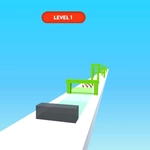
Jelly Runner strips the runner genre down to a single input: mouse up, mouse down. No clicking, no swiping, no keyboard gymnastics. You control a translucent, wiggling blob as it auto-runs through a neon-lit side-scrolling tunnel lined with spinning saw blades, crumbling ledges, and sudden ceiling drops. The real enemy is momentum—your jelly body stretches and squashes with every vertical adjustment, so the exact edge of your collision box never stays still. I lost count of the times I swore I'd cleared a blade only to watch the tail end of my blob smear across it. The difficulty ramps up fast too—early corridors feel generous, then the game starts throwing moving saws and shrinking gaps at you.
What keeps me coming back is the rhythm. After a dozen runs you start reading the obstacle patterns like a beat: dip, hold, rise, hold, dive through the narrow gap. The restart is instant, which is dangerous—you tell yourself one more try and suddenly twenty minutes vanish. The score counter taunts you with distance traveled, and every near miss sends a little jolt of adrenaline. That moment where you thread the needle between two overlapping saws feels better than it has any right to. There's a subtle audio cue when you pass a checkpoint, but honestly the visual feedback of your jelly stretching is enough to tell you when you're off balance.
It won't win awards for depth. There's no upgrade tree, no boss fight, no hidden lore. But for a five-minute break between classes or while waiting on a slow download, the wobble physics and tight hitbox keep your hand glued to the mouse. If you're using a trackpad, good luck—tiny movements are everything, and a cheap scroll wheel can be your best friend.
👥How to Play Jelly Runner
Mouse up and Down
✨Game Tips
Use short, gentle mouse nudges instead of big swipes—the jelly's wobble will overshoot otherwise.
Watch the top of the screen early; many obstacles are easier to dodge by staying low, not weaving.
Don't panic when two saws overlap—commit to one line and hold it; hesitation gets you clipped.
The hitbox trails behind your visible blob, so give yourself a little extra room when passing blades on the bottom.
Restart instantly after a death to keep muscle memory fresh; waiting breaks the rhythm.
If your mouse sensitivity is high, lower it slightly—precise vertical control beats fast reaction.
🔧FAQ
Q: Is Jelly Runner free to play?
A: Yes, it's completely free in your browser with no hidden paywalls.
Q: Can I play Jelly Runner on mobile?
A: The game is designed for mouse control, so a desktop or laptop works best. Touchscreens won't feel right.
Q: Do I need to download or install anything?
A: No downloads needed. Just open the page and start running—it runs on HTML5.
Q: How do I control Jelly Runner?
A: Move your mouse up to rise and down to dive. No clicking or keyboard keys required.
Q: Does Jelly Runner save my high score?
A: The game tracks your distance for the current session, but clearing your browser data resets it.
Q: Is Jelly Runner suitable for kids?
A: It's a cartoony, non-violent runner with simple controls, so yes, kids can enjoy it.