
Jelly Shift
Play Count0
Published2020-08-03
Supported DevicesPC
CategoryAdventure & RPG
Rating★★★★★5.0Rate this game
📝Jelly Shift Overview
Can you squish your jelly through every barrier without a splat? Jelly Shift throws twisty 3D obstacles at you and only the perfectly shaped blob survives.
💬What is Jelly Shift?
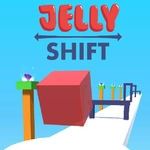
Jelly Shift is a bizarre little 3D obstacle dodger. You control a blob of translucent goo squeezing forward through gates that have holes in different shapes. The catch? Your jelly doesn't have a fixed form. Hold down to stretch it skinny, release to let it blob up wide. You have to time your shape changes exactly right as the next gate rushes up. I kept slamming into the first few walls before my brain clicked into the rhythm.
The real tension comes when the game starts mixing gate shapes back to back. One second you're threading a vertical slit, the next it's a small circle, and your brain screams 'fat now! thin now!' in half a second. The jelly's squishy physics make it feel alive—it jiggles when you overcorrect, almost mocking you. I once stretched too early, watched my blob smack into a wall, and it splattered into a thousand tiny droplets that reformed at the checkpoint. That little touch kept me coming back.
It's not a long game, but it's perfect for stealing a few minutes between classes or when you need a brain break that still demands focus. The 3D visuals are clean and pastel, and the speed ramps up just enough to feel dangerous without being unfair. If you like games that punish sloppy timing but reward that locked-in flow state, Jelly Shift is a weird little gem. Just don't blame me if you start seeing gate shapes when you close your eyes.
👥How to Play Jelly Shift
Mouse Only
✨Game Tips
Don't stare at the gate you're passing; focus on the next one ahead. Your brain needs the preview.
Release the mouse early if you're about to go wide—the jelly has a slight delay when you stop stretching.
Practice the first five gates over and over until you can pass them with your eyes closed. It builds the muscle memory for later chaos.
Keep your finger light on the mouse button; a heavy press can cause accidental shape shifts.
If you splat, immediately restart instead of waiting—the flow state resets faster than you'd think.
The gates rarely jump shape categories in one step; usually they alternate between two or three patterns, so learn the sequence.
🔧FAQ
Q: Is Jelly Shift free to play?
A: Yes, Jelly Shift is completely free to play in your browser.
Q: Can I play Jelly Shift on my phone?
A: Yes, it runs on most mobile browsers, but mouse controls feel best on a desktop.
Q: Do I need to download anything to play Jelly Shift?
A: No download needed. It's an HTML5 game that runs instantly.
Q: How do I control the jelly in Jelly Shift?
A: Use your mouse only—hold to stretch the jelly thin, release to let it blob wide.
Q: Is Jelly Shift suitable for kids?
A: Yes, the game has no violence or inappropriate content; it's about timing and shapes.
Q: Does Jelly Shift work on school Wi-Fi?
A: Since it's unblocked, it should work on restricted networks, but some schools block all games.