
Jeremy Quest 2
Play Count0
Published2023-02-06
Supported DevicesPC + Mobile
CategoryAdventure & RPG
Rating★★★★★5.0Rate this game
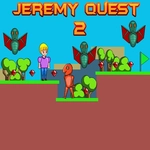
📝Jeremy Quest 2 Overview
Bounce off walls, chain double jumps, and thread needle-tight spike tunnels in this tough-as-nails pixel platformer.
💬What is Jeremy Quest 2?
The first thing that hits you in Jeremy Quest 2 is how little room for error the game allows. You're not handed a health bar or a shield—just a double jump and the hope that your fingers are faster than the level designer's imagination. I died maybe fifteen times on one vertical shaft because my second jump came a frame too late and clipped a ceiling spike. That's the game in a nutshell: brutal, precise, and weirdly addictive.
Movement is deceptively simple. WASD or arrow keys get you around, and hitting W or Up twice triggers the double jump. But the real skill comes from controlling the timing of that second press. Tap it immediately for maximum height to clear tall walls, or delay it for a wider, flatter arc over spike pits. The game never tells you this—you either feel it out through repetition or you keep dying. I found myself counting the frames between jumps out loud after a while, which sounds insane but works.
There's no convoluted story or upgrade tree here. Just level after level of tight platforming, collectibles tucked into awkward corners, and that grim satisfaction when you finally land a sequence that's been murdering you for ten minutes. If you grew up on Meat Boy or N++, you'll feel right at home. If you didn't, expect a learning cliff. It's the kind of game you'll close in frustration, then reopen five minutes later because you know the next attempt might be the one.
👥How to Play Jeremy Quest 2
Use "WASD" or "Arrow" keys for the player's movement.
Use "W" or "Up" arrow key twice for double jump.
✨Game Tips
- Tap jump twice quickly to gain maximum height, but delay the second press for longer horizontal leaps.
- Keep moving forward—lingering on a platform often makes the next jump harder to time.
- Watch for visual cues like cracked blocks or darker tiles that mark trap zones.
- If a section feels impossible, try approaching it with a slower first jump instead of mashing.
- Use the double jump to correct mid-air, but remember you only get one extra boost before landing.
- Focus on landing spots rather than the obstacles themselves; your eyes guide your fingers.
🔧FAQ
Q: Is Jeremy Quest 2 free to play?
A: Yes, it's completely free in your browser—no paywalls or hidden fees.
Q: Do I need to download anything to play?
A: No download needed. It runs on HTML5, so it loads right in your web browser.
Q: Can I play Jeremy Quest 2 on my phone?
A: The game uses keyboard controls, so a physical keyboard on desktop is recommended. Touchscreen is not supported.
Q: What are the controls?
A: Move with WASD or arrow keys. Press W or Up arrow twice to double jump over gaps and spikes.
Q: Is Jeremy Quest 2 a hard game?
A: Yes, it's challenging. Precision jumping and timing are key, so expect to retry sections often.
Q: Can I play Jeremy Quest 2 at school unblocked?
A: If your school allows this unblocked games site, you can play directly. No install is required.