
Jump and Fly
Play Count0
Published2024-11-04
Supported DevicesPC + Mobile
CategoryAdventure & RPG
Rating★★★★★5.0Rate this game
📝Jump and Fly Overview
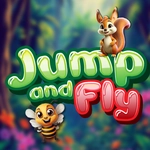
Guide a squirrel and its bee sidekick as they bounce skyward across vanishing platforms—one bad tap and you're back at the bottom.
💬What is Jump and Fly?
Jump and Fly keeps its formula simple, but that simplicity hides how tense it gets after the first dozen platforms. You're controlling a squirrel with a bee buddy, and every press of spacebar or tap on the screen launches both of them off the current platform. The arrow keys (or swiping in some mobile setups) let you drift left or right to line up the next landing. That's it. No health bar, no enemies at first, just you, gravity, and a screen that scrolls upward.
What got me hooked is how quickly the margin for error shrinks. The platforms don't wait around—some are tiny, some are moving, and a few look solid but break the moment you land. I remember hitting a stretch where three platforms in a row were barely wider than the squirrel itself. My bee fluttered ahead like it knew the way, but the squirrel clipped the corner and the whole run reset. That sting of "one more try" is real.
It's not punishing in a hardcore way, though. The art is bright and cartoonish, and the music keeps things light. If you want a quick platformer that doesn't demand a tutorial, Jump and Fly is a solid pick for five minutes or fifty.
👥How to Play Jump and Fly
Desktop: Press the Spacebar to make the squirrel and bee jump from platform to platform. Use the Arrow Button to move left and right.
Mobile: Tap the screen to make the squirrel and bee jump from platform to platform.
✨Game Tips
Start your drift early when the next platform is off-center; don't wait until you're already falling.
Don't rely on landing on the very edge—the hitbox can be unforgiving, aim for the center.
On mobile, tap rhythmically instead of mashing; each tap is a jump, so double-taps waste height.
Keep an eye on the bee; it often hovers over the next safe platform.
Use the arrow keys only for small adjustments, big sweeps lead to overshooting.
The first few platforms are wide, but after about 20, start planning two jumps ahead.
🔧FAQ
Q: Is Jump and Fly free to play?
A: Yes, it's completely free in your browser with no paywalls or hidden fees.
Q: Can I play Jump and Fly on my phone?
A: Absolutely. The mobile version uses tap controls, so it works on touchscreens without a keyboard.
Q: Do I need to download anything to play?
A: No downloads required. Jump and Fly runs instantly as an HTML5 game in any modern browser.
Q: What are the controls for Jump and Fly?
A: On desktop, press Spacebar to jump and use the arrow keys to move left and right. On mobile, just tap the screen.
Q: Is Jump and Fly suitable for kids?
A: Yes, the cartoon animal characters and simple jump mechanics make it very kid-friendly.
Q: Can I save my progress in Jump and Fly?
A: The game doesn't have a save system; each run starts fresh from the bottom platform.