
Kanaksia
Play Count0
Published2023-04-03
Supported DevicesPC + Mobile
CategoryAdventure & RPG
Rating★★★★★5.0Rate this game
📝Kanaksia Overview
Double-jump across crumbling ruins and pixelated chasms in Kanaksia — one mistimed leap sends you back to the start.
💬What is Kanaksia?
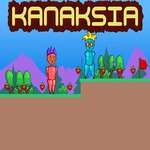
Kanaksia feels like someone cracked open a forgotten 16-bit cartridge and let the platforming do the talking. You're a small, determined figure navigating a series of side-scrolling ruins, each screen packed with crumbling ledges, spike pits, and gaps that seem just a little too wide on first glance. The movement is tight — no floaty drift here — so when you die, it's usually because you pressed jump a frame too late, not because the game screwed you over.
I spent a good ten minutes stuck on a section near the second checkpoint. There's a ledge that looks unreachable until you realize the double jump isn't just a safety net; it's a tool for changing direction mid-air. Tap W or Up once to hop, then again to kick off the air for extra height or a last-second course correction. That little mechanic turns basic platforming into a surprisingly deep puzzle of timing and momentum. The game doesn't hand you a map or a tutorial beyond a few button prompts, which I respect. You learn by falling, and falling is cheap enough that it never feels cruel.
The visuals lean into muted earthy tones with heavy shadows, which gives the whole thing a quiet, almost lonely atmosphere. There's no story dumped on you, no dialogue boxes — just a world and your own stubbornness. If you enjoy 2D precision platformers like the flash-era classics, Kanaksia scratches that itch without demanding your whole afternoon. It's a compact adventure, but the challenge curve ramps up nicely after the first few screens.
👥How to Play Kanaksia
Use "WASD" or "Arrow" keys for the player's movement.
Use "W" or "Up" arrow key twice for double jump.
✨Game Tips
Master the double jump early — it's not just for height, it lets you change direction in mid-air.
Look for walls that look climbable; a well-timed double jump off a wall can bypass long spike strips.
Don't rush after a checkpoint; pause a second and map the next few jumps with your eyes first.
Use the first jump for distance, save the second for landing corrections or emergency saves.
Falling rarely costs progress, so experiment with risky shortcuts rather than playing it safe.
🔧FAQ
Q: Is Kanaksia free to play?
A: Yes, it's completely free in the browser with no hidden paywalls or account required.
Q: Can I play Kanaksia on mobile?
A: The game uses keyboard controls, so mobile play isn't supported unless you connect a physical keyboard.
Q: Do I need to download anything to play?
A: No downloads or plugins — just open the page and the game runs in HTML5.
Q: What are the controls for Kanaksia?
A: Use WASD or arrow keys to move, and press W or Up twice for a double jump.
Q: Does Kanaksia save my progress?
A: It doesn't have a save system, but checkpoints let you restart near where you fell.
Q: Is Kanaksia suitable for younger players?
A: Yes, there's no violence or mature content — just challenging platforming.