
Kazu Bot
Play Count0
Published2023-03-29
Supported DevicesPC + Mobile
CategoryAdventure & RPG
Rating★★★★★5.0Rate this game
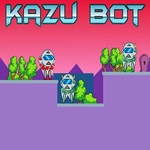
📝Kazu Bot Overview
Guide a pint-sized robot through a hostile neon factory, mastering double jumps to dodge saw blades and reach the exit.
💬What is Kazu Bot?
Kazu Bot keeps things simple on purpose. You steer a little robot with WASD or the arrow keys, and the jump button gives you a second mid-air boost when you tap it again. That double jump turns out to be the whole game. The levels throw spike pits, crumbling ledges, and rotating blades at you, and half the time the only way through is to delay that second jump until the last possible frame. I lost count of how many runs ended with my robot tumbling into a pit because I got greedy and jumped too early. The spikes come in waves and the saw blades rotate on timers, so you'll learn to read the room before you commit to a jump.
Don't let the minimal controls fool you — there's real skill here. The movement feels floaty enough for air control but tight enough that you always know why you died. Each stage is short, so restarting isn't a punishment; it's an invitation to shave a few seconds off your time. I kept coming back to the same section just to nail a double jump off a moving platform, and when I finally did it, I felt unreasonably proud. The camera stays close, which means you'll need to trust your timing more than your eyes on the longer jumps. The level design rewards patience and pattern recognition more than raw reflexes, though you'll still need both.
There's no story to speak of, no XP bars, no crafting menus. Just you, a robot, and a series of increasingly devious platforming gauntlets. If you like games where the only obstacle between you and victory is your own timing, Kazu Bot scratches that itch perfectly.
👥How to Play Kazu Bot
Use "WASD" or "Arrow" keys for the player's movement.
Use "W" or "Up" arrow key twice for double jump.
✨Game Tips
Save the second jump for the very end of your arc — it gives you more height than spamming it early.
Learn the timing of saw blades before trying to pass; they often sync with platform movement.
Use short hops instead of full jumps when navigating narrow ledges with spikes overhead.
Don't restart the whole game if you die — each level is short, so just memorize the layout and go again.
Tap the arrow keys lightly for micro-adjustments mid-air; holding too long can overshoot a landing.
🔧FAQ
Q: Is Kazu Bot free to play?
A: Yes, it runs free in your browser with no paywall or ads blocking gameplay.
Q: Can I play Kazu Bot on mobile?
A: The game works on touchscreen browsers, but a physical keyboard is strongly recommended for precise double jumps.
Q: Do I need to download anything to play Kazu Bot?
A: No downloads required — just open the page and start playing instantly in HTML5.
Q: What are the controls for Kazu Bot?
A: Use WASD or arrow keys to move, and press W or Up arrow twice to perform a double jump.
Q: Does Kazu Bot work on a school Chromebook?
A: Yes, it's unblocked and runs smoothly on Chromebooks through any modern browser.
Q: How many levels does Kazu Bot have?
A: The game doesn't show a total level count, but each stage is short and the difficulty ramps up steadily.