
Kids Education
Play Count0
Published2024-01-05
Supported DevicesPC + Mobile
CategoryKids & Educational
Rating★★★★★5.0Rate this game
📝Kids Education Overview
Tiny hands, big discoveries — can you match the animals, count the apples, and ace every mini-lesson without breaking a sweat?
💬What is Kids Education?
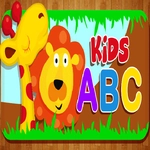
I'll be honest: most "educational" browser games make me cringe, but Kids Education actually keeps it simple enough that a five-year-old can navigate it without help. The screen is bright and uncluttered, with chunky buttons that practically invite a kid to smash them. You pick from a handful of mini-activities — matching shapes, counting fruit, spotting the odd one out, and a little memory game where you flip cards to find pairs. My nephew got stuck on the counting one for a solid ten minutes because he wanted to feed the monkey exactly seven bananas (the monkey does a happy dance when you get it right, which is the real reward).
What surprised me is how the game doesn't punish wrong answers. Unlike some click-happy toddler games, you tap a wrong shape and it just wiggles and lets you try again. No timer, no lives, no "game over" screen making a preschooler cry. There's a soft voice that says the name of each object when you click it, which is great for early vocabulary. The art style is that glossy, slightly plastic-looking cartoon stuff you see in a lot of baby games — flowers with smiley faces, smiling suns — but it never feels cheap. The sounds are pleasant enough that I didn't want to mute it, which is rare.
For parents or teachers looking for a zero-pressure way to practice basic skills, this one earns its place in the rotation. It won't teach your kid algebra or turn them into a spelling bee champion, but if you need five minutes to make coffee while they match cats and dogs, it does exactly what it says on the tin. I'd recommend it for ages 3–6, and honestly it's a decent palate cleanser if you've been grinding hard games all day.
👥How to Play Kids Education
Mouse click or tap to play
✨Game Tips
- Let your kid tap things freely — every object says its name out loud, which builds vocabulary without feeling like a lesson.
- In the matching game, point to two cards at a time instead of hunting randomly; it speeds up memory retention.
- The counting activity has no timer, so encourage guessing out loud before tapping the final answer.
- Don't rush through the shape sorter — wrong answers wiggle but don't reset progress, so exploring is safe.
- Turn the volume up a little; the voice prompts help non-readers understand what to do next.
- Use it as a calm-down activity after a louder game; the simple, soft visuals lower the energy fast.
🔧FAQ
Q: Is Kids Education free to play?
A: Yes, it's completely free in your browser with no hidden paywalls or subscription prompts.
Q: Can I play Kids Education on a phone or tablet?
A: Absolutely. The game works on touchscreens, so tablets and phones are ideal for little fingers.
Q: Do I need to download anything to start?
A: No downloads or installs. Just open the page and click or tap to begin playing right away.
Q: What age group is Kids Education best for?
A: It's designed for toddlers and early learners, roughly ages 3 to 6, but anyone can enjoy the simple puzzles.
Q: Does Kids Education require reading skills?
A: Not at all. Voice prompts and clear pictures guide players, so non-readers can play independently.
Q: Can I play Kids Education at school?
A: Since it's an unblocked browser game, it usually works on school networks without restrictions.