
Kids Games Collection
Play Count0
Published2022-01-14
Supported DevicesPC + Mobile
CategoryKids & Educational
Rating★★★★★5.0Rate this game
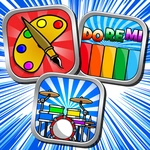
📝Kids Games Collection Overview
Snag a seat and tap through a stack of tiny puzzles, matching rounds, and color-filled mini-games that keep younger brains firing.
💬What is Kids Games Collection?
There's something oddly satisfying about a game that doesn't try to be the next big thing. I'll admit, I loaded this up expecting to be bored in three minutes. Instead I lost half an hour to a memory match with cartoon fruit. The first thing you'll notice is how clean everything feels. Big buttons, bright shapes, no weird menus. You're dropped onto a carousel of mini-games—some ask you to pair animals with their shadows, others have you tapping the odd one out from a row of smiling vegetables. Each one resets quickly, so there's no fuss when a kid wants to try something else. I kept coming back to a simple color-sorting puzzle where you drag colored balls into matching cups; it's easy enough for a five-year-old but weirdly meditative when you're thirty.
What makes it work is the pacing. Nothing overstays its welcome, and there's no punishment for getting things wrong—just a gentle nudge and another try. That's rare in free browser games, where a wrong click usually means an ad or a game-over screen. Here, the whole thing feels built for small hands and short attention spans, and honestly, that's a strength. The touch support works fine on a tablet, too, which is handy if you're handing it over in the back seat.
One thing I'd change? There's no progress tracker or star system, so kids just bounce between games without any reward for finishing a set. For a collection this size, a little sticker chart or unlockable would make it stickier. But if you're looking for a no-pressure time-waster that actually sneaks in some shape, color, and memory practice, this does the job without making a fuss.
👥How to Play Kids Games Collection
Use your mouse or touch the screen to play.
✨Game Tips
Start with the shadow matching games—they're fastest for getting a feel for the drag controls.
Don't rush the color sorting; the buckets highlight when you're hovering over the right one.
Let a kid play in short bursts; switching games often keeps it from getting samey.
Tap rather than drag on touch screens for the memory pairs—it registers cleaner.
If a game feels too easy, cycle to the next one via the arrow instead of waiting for a reset.
🔧FAQ
Q: Is Kids Games Collection free to play?
A: Yes, it's completely free in your browser with no download or signup required.
Q: Can I play Kids Games Collection on mobile?
A: Works on phones and tablets through a touch-friendly interface, though a bigger screen is easier for little fingers.
Q: Do I need to download anything to start?
A: No downloads—just open the page and start clicking. An internet connection is required.
Q: What ages is Kids Games Collection best for?
A: Most games suit ages 3–7, but older players can enjoy the memory and puzzle rounds too.
Q: Does Kids Games Collection save my progress?
A: No progress saving or accounts; it's a pick-up-and-play collection with no long-term tracking.
Q: Can I play Kids Games Collection with my child?
A: Absolutely, it's two-player friendly if you take turns on the same screen, though not a true multiplayer mode.