
Kill The Zombies 3D
Play Count0
Published2022-04-13
Supported DevicesPC
CategoryAdventure & RPG
Rating★★★★★5.0Rate this game
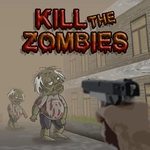
📝Kill The Zombies 3D Overview
Lock and load in a fog-choked harbor village where every alley hides a zombie—shoot fast, move faster, and find the escape before they close in.
💬What is Kill The Zombies 3D?
You spawn at the edge of a harbor village, and the first thing you notice is the silence—broken a second later by a groan from behind a stack of crates. That's Kill The Zombies 3D in a nutshell: tight corridors, wooden docks, and a fog that keeps you guessing. The movement is classic WASD, and your mouse turns the camera, so you're always scanning. The pistol feels snappy, though I'll admit my first few runs ended with a zombie chewing on my neck because I stopped to line up a perfect shot. Don't do that.
The zombie AI isn't brilliant, but it doesn't need to be. They shamble toward you in waves, some faster than others, and the real threat is getting surrounded. I learned to keep my back to a wall and use the harbor's layout—crates, doorways, narrow alleys—to funnel them. Headshots drop them quicker, but a body shot still staggers, giving you a second to reposition. There's no reload mechanic, so you can keep firing, but the pistol's rate of fire means you can't just spray and pray; you need to pick your targets when three of them are closing from different angles.
What makes me come back is the simple loop: survive, explore, find the escape point, and do it faster next time. The escape isn't marked on a minimap, so you'll stumble through the village, learning its layout by dying. It's frustrating in a fair way—every death teaches you something. If you're itching for a quick, tense zombie shooter that runs in your browser, this one scratches that itch without any fluff.
👥How to Play Kill The Zombies 3D
W-A-S-D keys to move and mouse cursor to rotate camera.
Left Mouse Button to fire with the pistol.
Kill the zombies and escape the Harbor Village!
✨Game Tips
Keep moving—standing still is an invitation for a bite.
Aim high: headshots stagger zombies and give you breathing room.
Use doorways and narrow gaps to force zombies into single file.
Listen for groans behind you; audio cues are your early warning.
Learn the harbor layout by exploring between waves—knowing the exit saves precious seconds.
🔧FAQ
Q: Is Kill The Zombies 3D free to play?
A: Yes, it's a free online game you can play in your browser right here.
Q: Can I play Kill The Zombies 3D on mobile?
A: It's built for desktop with mouse and keyboard. Touchscreen controls aren't supported, so use a computer for the best experience.
Q: Do I need to download or install anything?
A: No downloads needed. It runs directly in your web browser as an HTML5 game.
Q: What are the controls for Kill The Zombies 3D?
A: Use WASD to move, your mouse to look around, and left-click to shoot the pistol.
Q: Is there a way to pause or save my progress?
A: It's a single-session game; you'll start fresh each time you reload the page.
Q: Can I play Kill The Zombies 3D with friends?
A: It's a single-player experience, so no co-op or multiplayer modes are available.