
Kingdom of Ninja 3
Play Count0
Published2021-07-16
Supported DevicesPC + Mobile
CategoryAdventure & RPG
Rating★★★★★5.0Rate this game
📝Kingdom of Ninja 3 Overview
Leap across moonlit rooftops, slash through shadowy guards, and chain wall jumps until the shogun's treasure is yours in this relentless ninja platformer.
💬What is Kingdom of Ninja 3?
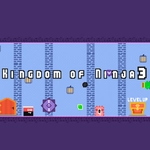
Kingdom of Ninja 3 drops you into a side-scrolling world where every rooftop, corridor, and bamboo thicket is rigged to send you back to the start. You move with the arrow keys and jump with Z — or tap on mobile — and from there it's all about reading enemy patterns and not mistiming your wall jumps. The first night I played, I spent twenty minutes stuck on a section where two guards patrol a narrow beam over a spike pit. You have to bait the first one into lunging, hop over, then immediately wall jump to dodge the second. When it clicks, it feels effortless. When it doesn't, you're respawning with your teeth gritted.
What surprised me is how much the game respects your time. Death is instant, but respawns are quick, and checkpoints are placed just often enough to keep you from rage quitting. The ninja moves with a satisfying weight; there's a slight delay on the mid-air double jump that forces you to commit. You can't spam your way through. The art style is simple but clean, with enough color contrast that you can spot a hidden ledge or a trap trigger before it kills you. Some levels introduce new hazards like falling shuriken or moving platforms that force you to chain jumps without stopping. It's the kind of game where you'll tell yourself "one more run" and realize an hour has passed.
If you're on a phone, the touch controls map movement to left/right buttons and jump to a dedicated on-screen button. It works surprisingly well, though I still prefer a keyboard for the tighter sections. There's no story to speak of — you're a ninja, there's a kingdom, go get the treasure — but the level design carries it. Try to collect any scrolls or coins you see; they might mark hidden routes, and even if they don't, grabbing them mid-jump is half the fun.
👥How to Play Kingdom of Ninja 3
"Z" Jump + "Arrow key" Move / Mobile Touch Control
✨Game Tips
Master the wall jump early: the game expects you to chain two or three in a row by the third level.
Don't attack every guard head-on. Some are easier to bait into pits or spikes than to fight.
Use Z for a short hop instead of a full jump when you need to clear low ceilings or land on narrow beams.
On mobile, keep your thumb near the jump button — double tapping it gives a double jump that saves you from falling.
Watch enemy patrol patterns for two full cycles before you commit. They repeat.
🔧FAQ
Q: Is Kingdom of Ninja 3 free?
A: Yes, it's a free browser game. No payment or sign-up needed.
Q: Can I play Kingdom of Ninja 3 on mobile?
A: Yes. The game has touch controls for moving and jumping on phones and tablets.
Q: Do I need to download anything to play?
A: No downloads required. It runs in your browser using HTML5.
Q: What are the controls for Kingdom of Ninja 3?
A: Use arrow keys to move and Z to jump. On touchscreens, use the on-screen buttons.
Q: Is Kingdom of Ninja 3 unblocked at school?
A: It's an unblocked game, so it often works on school networks, but your school may still block games.
Q: How hard is Kingdom of Ninja 3?
A: It's challenging but fair. Timing and enemy patterns matter more than fast reflexes.