
Kingdom of Ninja 5
Play Count0
Published2021-07-22
Supported DevicesPC + Mobile
CategoryAdventure & RPG
Rating★★★★★5.0Rate this game
📝Kingdom of Ninja 5 Overview
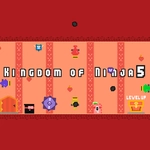
Leap across deadly rooftops and slice through shadowy guards in a sprawling ninja kingdom where every jump counts.
💬What is Kingdom of Ninja 5?
The first thing that grabbed me was how fluid the movement feels. You're not just hopping between platforms—you're chaining wall jumps, double jumps, and quick sword slashes into a rhythm that makes you feel like an actual shadow warrior. Z handles the jumping, arrows move you around, and on mobile the touch buttons are surprisingly responsive. There's a section about halfway through where three throwing stars fly at you from off-screen, and if you don't duck under a low ledge at the exact right frame, you're toast. I replayed that bit at least a dozen times before nailing it.
The kingdom itself is a mix of moonlit pagodas, bamboo groves, and trap-filled interiors. Each stage introduces a new twist—conveyor belts, collapsing bridges, teleporting assassins—so it never feels like you're just running the same corridor with a different wallpaper. The enemies aren't dumb either. Some block, some rush you from behind, and the ones with those curved blades can punish you for attacking too early. You have to learn their tells or get cut down fast.
I'd call it a tough but fair platformer. You'll die a lot, but the respawn is quick and checkpoints are generous enough that frustration rarely outlasts the fun. If you grew up on games like Ninja Gaiden or even modern indie platformers, this scratches that same itch. It's not a huge game, but getting a clean run through a level without taking a hit is genuinely satisfying.
👥How to Play Kingdom of Ninja 5
"Z" Jump + "Arrow key" Move / Mobile Touch Control
✨Game Tips
Master the double jump early; it's your main tool for avoiding throwing stars.
Use down+Z on narrow ledges to drop through and catch enemies below.
Don't spam the sword—timing your slash right as an enemy lunges will stagger them.
Keep your eyes on the far edge of the screen; off-screen traps telegraph their patterns.
On mobile, use the touch buttons with light taps; holding jump gives extra height.
If you're stuck on a tricky wall-jump section, try jumping off the left wall first, then the right.
🔧FAQ
Q: Is Kingdom of Ninja 5 free to play?
A: Yes, it's completely free in your browser with no paywalls.
Q: Do I need to download anything to play?
A: No download needed—just click and play instantly.
Q: Can I play Kingdom of Ninja 5 on my phone?
A: Yes, touch controls are built in for mobile browsers.
Q: What are the controls for Kingdom of Ninja 5?
A: Use arrow keys to move and Z to jump on desktop, or tap on-screen buttons on mobile.
Q: Is Kingdom of Ninja 5 unblocked at school?
A: Yes, it's designed to work on most school networks.
Q: Does Kingdom of Ninja 5 save my progress?
A: Progress is saved locally in your browser, so don't clear cookies if you want to keep it.