
Kingdom of Ninja 6
Play Count0
Published2021-07-21
Supported DevicesPC + Mobile
CategoryAdventure & RPG
Rating★★★★★5.0Rate this game
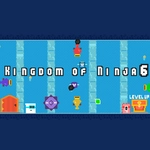
📝Kingdom of Ninja 6 Overview
Slice through shadowy clans and leap across crumbling rooftops — can you survive the sixth chapter of this ninja saga?
💬What is Kingdom of Ninja 6?
Kingdom of Ninja 6 drops you straight into a side-scrolling world where every ledge is a potential death trap and every shadow might hide an enemy. You control a lone ninja with a basic move set — left, right, jump, attack — and that's honestly all you need until the level design starts throwing spikes, pits, and archers at you. The first time I mistimed a jump over a bottomless gap, I realized this isn't a button-masher; patience and rhythm matter more than raw speed.
What keeps me coming back is how the game rewards careful exploration. There are hidden scrolls tucked behind false walls and bonus rooms above the main path. I remember finding a secret ledge that led to a room full of coins and a health upgrade — then immediately walking into a trap that sent me back three screens. That push-pull between risk and reward is classic platforming, and Kingdom of Ninja 6 nails it. The graphics have that retro pixel charm without feeling dated, and the soundtrack punches way above its weight for a browser game.
On keyboard, Z jumps and arrow keys move — simple, but the hitbox can be unforgiving until you learn exactly when to strike. On touch devices, the on-screen buttons are responsive enough, though I still prefer a physical keyboard for the precise double jumps. There's no save system as far as I can tell, so you're committed to a full run. That might frustrate casual players, but it adds stakes every time you start a new level. Overall, if you like lean, no-nonsense ninja action with a real challenge, this one's worth your afternoon.
👥How to Play Kingdom of Ninja 6
"Z" Jump + "Arrow key" Move / Mobile Touch Control
✨Game Tips
Learn the enemy attack patterns before committing to a strike — rushing in gets you killed fast.
Use the double jump to correct a bad landing, but don't spam it or you'll overshoot small platforms.
Break every crate and suspicious wall — hidden health and coins are often just off the main path.
On mobile, tap the edge of the screen rather than the center for sharper turn response.
When you see a row of spikes, time your jump from the very edge of the platform, not the middle.
Don't hoard your special attacks; the meter refills quickly, so use them to clear tough groups.
🔧FAQ
Q: Is Kingdom of Ninja 6 free to play?
A: Yes, it's completely free in your browser — no paywalls or hidden fees.
Q: Can I play Kingdom of Ninja 6 on my phone?
A: Yes, the game supports touch controls for mobile devices, though a keyboard gives more precision.
Q: Do I need to download anything to start playing?
A: No downloads required. It runs directly in your web browser as an HTML5 game.
Q: What are the controls for Kingdom of Ninja 6?
A: Use arrow keys to move and Z to jump. On mobile, tap the on-screen buttons.
Q: Does Kingdom of Ninja 6 save my progress automatically?
A: It does not have a save feature for mid-level progress, so you'll restart each run from the beginning.
Q: Is Kingdom of Ninja 6 suitable for beginners?
A: It's challenging but fair. New players should start slow and practice timing jumps before tackling later levels.