
Labubu Gokart
Play Count0
Published2025-06-23
Supported DevicesPC + Mobile
CategoryAdventure & RPG
Rating★★★★★5.0Rate this game
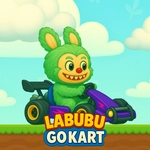
📝Labubu Gokart Overview
Hop into a tricked-out kart and double-jump across wild tracks where Labubu turns every lap into a mini adventure.
💬What is Labubu Gokart?
I wasn't expecting much from a go-kart game starring a fuzzy little mascot, but the double jump changes everything. You're not just hugging corners—you're launching off ramps, clearing gaps, and finding shortcuts hidden above the obvious racing line. The tracks feel less like traditional circuits and more like platforming playgrounds with wheels. One lap I'd be drifting around a tight hairpin, the next I'd spot a floating boost pad high up and realize I could actually reach it with a well-timed second jump. That little mechanic kept me restarting tracks just to see what I'd missed.
The controls are refreshingly simple. WASD or arrow keys on PC, touch buttons on mobile—both feel responsive enough that a missed landing is always your fault, never the game's. Double jumping isn't just for show either. You can use it to correct a bad angle mid-air, hop over small track obstacles, or chain together shortcuts that cut seconds off your time. The kart physics lean arcade rather than realistic, so you'll slide more than you expect, but once you learn to feather the jump button, the whole game opens up.
Visually it's bright and cartoonish, the kind of thing that runs fine on a school Chromebook without stuttering. There's no story mode or upgrade grind—just you, the track, and a timer if you want one. I'd call it a palette cleanser between heavier games. Not a full meal, but the double jump hook is strong enough that you'll say "one more run" more times than you mean to.
👥How to Play Labubu Gokart
*Use the WASD keys to move.
*Double jump available.
*Playable on both mobile and PC.
✨Game Tips
Master the double jump early—it's the difference between a clean lap and getting stuck behind slower karts.
Use the second jump to correct bad landings or hop over small obstacles instead of steering around them.
On mobile, keep your thumbs near the jump button; timing matters more than steering precision.
Don't boost into sharp turns unless you've already scouted the track and know the exit line.
Learn where each ramp launches you—many hidden paths and boost pads sit above eye level.
If a jump feels too far, try a single tap then a quick second press; the extra height gives you more hang time.
🔧FAQ
Q: Is Labubu Gokart free to play?
A: Yes, it's completely free on this unblocked games site—no payment or subscription needed.
Q: Can I play Labubu Gokart on my phone?
A: Absolutely. The game works in mobile browsers with touch controls for movement and jumping.
Q: Do I need to download anything to start playing?
A: No downloads, no plugins. Just open the page in any modern browser and hit the track.
Q: What are the controls for Labubu Gokart?
A: Use WASD or arrow keys on PC to steer. Press jump once for a normal hop, twice for a double jump.
Q: Does Labubu Gokart have multiplayer?
A: The current version focuses on single-player time trials and exploration, but check back for updates.
Q: Will Labubu Gokart run on a slow school computer?
A: Yes, it's optimized for low-end devices and should run smoothly even on older Chromebooks.