
Lane Change 3D
Play Count0
Published2022-09-07
Supported DevicesPC + Mobile
CategoryAdventure & RPG
Rating★★★★★5.0Rate this game
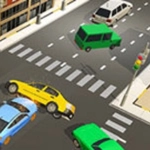
📝Lane Change 3D Overview
You're barreling down a packed freeway with only one move: tap to switch lanes. Dodge trucks, squeeze through gaps, and see how far you get before metal meets metal.
💬What is Lane Change 3D?
Lane Change 3D strips driving down to its most nerve-wracking core: you're locked in your lane until you tap, and then you lurch left or right into whatever gap you've spotted. There's no brake, no accelerator—just split-second decisions. The screen shows a three-lane highway from a chase cam, traffic rushing at you, and every vehicle ahead is a moving wall. I found myself holding my breath on long runs, tapping twice to slide past a semi only to realize a sedan had closed the gap on the other side. That moment of panic is the whole game, and it works.
The speed creeps up the longer you survive. Early on it feels manageable, even friendly—then a delivery van appears out of nowhere and you're swerving on instinct. There are no coins or power-ups, no meta progression; it's purely about distance. The camera jolts with each lane change, giving a subtle physical kick. The graphics are clean, not flashy, which helps because your eyes stay locked on the gaps rather than distracted by scenery. After a few crashes, you start reading traffic patterns: slower cars drift toward the right, trucks stay left, and sometimes a gap opens two lanes over if you commit early. It's not a deep simulation, but the one-tap loop is surprisingly addictive.
Don't expect upgrades or story beats—this is a pure arcade score chaser. Best played in short bursts between classes or meetings. I kept coming back to beat my own distance, which is the highest praise for a browser game. If you've got decent reflexes and a tolerance for cheap deaths (the hitbox on the guardrail feels a bit generous), Lane Change 3D will eat an afternoon.
👥How to Play Lane Change 3D
Tap or click.
✨Game Tips
Tap just before the gap opens, not after—early lane changes give you more room to correct.
Focus on the lane ahead, not your own car; gaps are easier to spot in the distance.
Don't hug the center lane; staying on the outside gives you one escape direction instead of two tempting options.
When traffic thickens, slow your taps—waiting half a second often reveals a better opening.
The guardrails are more forgiving than they look, but a head-on crash ends the run instantly, so avoid the center divider at all costs.
If you're about to hit a slow car, two quick taps can skip you two lanes, but only if there's room—check the oncoming lane first.
🔧FAQ
Q: Is Lane Change 3D free to play?
A: Yes, it's completely free with no hidden payments or subscriptions.
Q: Can I play Lane Change 3D on my phone?
A: Yeah, it works in mobile browsers and responds to tap or touch controls.
Q: Do I need to download anything to play Lane Change 3D?
A: No downloads needed—it runs right in your browser as HTML5.
Q: What are the controls for Lane Change 3D?
A: Tap or click once to change one lane left or right, depending on your position.
Q: Does Lane Change 3D have levels or an endless mode?
A: It's endless—the difficulty ramps up the longer you survive, no level breaks.
Q: Can I pause Lane Change 3D mid-game?
A: Pausing isn't built in, but closing the tab stops the run automatically.