
Lost in the Woods
Play Count0
Published2024-05-06
Supported DevicesPC
CategoryAdventure & RPG
Rating★★★★★5.0Rate this game
📝Lost in the Woods Overview
Crackling leaves, sudden drops, and a forest that rearranges itself when you blink — find the way out before night swallows everything.
💬What is Lost in the Woods?
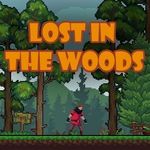
You wake up alone, no trail markers, just gnarled trees and that damp smell of rot. Lost in the Woods drops you into a side-scrolling forest that feels alive in the worst way. I spent my first three runs convinced the dev had hidden invisible walls, but no — the ground genuinely gives way. There's a moment around the second checkpoint where a mossy log looks stable, then crumbles as soon as you commit to the jump. You learn to read subtle cracks and darker patches.
The movement is deceptively simple: A and D to walk, W or Space to hop, S to drop through thin platforms. But the forest's layout shifts subtly each run — not a full roguelike, more like someone rearranged the furniture while you were checking the map. That ambiguity makes you paranoid. A vine you swung from last attempt might now be dead and brittle. One run I found a shortcut over a fallen oak; next run that oak was gone, replaced by a bottomless pit that looked almost deliberate.
What keeps me returning is the sound design. Birds go quiet right before a trap activates. Your footsteps get squelchier near hidden bogs. It's not a horror game, but it borrows the tension. If you're the type who likes platformers that respect your time but still punish lazy jumps, this one's worth an evening. Just don't blame me when you start checking over your shoulder in real life.
👥How to Play Lost in the Woods
A/D to move, W/Space to Jump, S to Drop
✨Game Tips
Listen for the birdsong to stop — it usually means a trap is about to trigger within the next second.
Hold S while falling to slam through thin branches; you'll land faster and sometimes reveal hidden alcoves below.
Don't trust every patch of moss. Darker green means loose ground that collapses after one step.
If a vine looks slightly gray instead of brown, it's already dead and will snap immediately. Wait for a new one or find another route.
The forest layout changes between runs, so memorize landmarks generously — that twisted birch might not be there next time.
Use short hops instead of full jumps when the ceiling is low; you'll clip less and keep momentum.
🔧FAQ
Q: Is Lost in the Woods free to play?
A: Yes, it's completely free in your browser with no paywalls or hidden fees.
Q: Can I play Lost in the Woods on mobile?
A: Yes, the HTML5 version supports touch controls. Tap left or right to move, swipe up to jump.
Q: Do I need to download anything to play?
A: No downloads or installs required. It runs directly in any modern web browser.
Q: What are the controls for Lost in the Woods?
A: Use A and D to move, W or Space to jump, and S to drop through thin platforms.
Q: Is Lost in the Woods available unblocked at school?
A: Yes, if your network allows this site, the game will load without external plugins or downloads.
Q: Does Lost in the Woods save my progress?
A: It auto-saves your checkpoint progress in the browser cache, but clearing cookies resets it.