
Magical Unicorn Coloring Pages
Play Count0
Published2025-05-07
Supported DevicesPC + Mobile
CategoryKids & Educational
Rating★★★★★5.0Rate this game
📝Magical Unicorn Coloring Pages Overview
Grab your virtual crayons and bring a sparkly unicorn to life with every shade you can dream up—no mess, just pure color.
💬What is Magical Unicorn Coloring Pages?
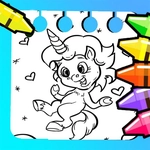
Open the game and you'll see a bunch of unicorn outlines waiting for color—some prancing, some sleeping under stars, one with a mane that twists like a candy cane. You tap a page, then tap or drag across the white spaces to flood them with color. The palette is generous: pastels, neon, deep jewel tones. I always start with the horn, because the way the silver or gold shade catches the line art makes it pop immediately. Then I move to the mane, switching between a thick brush for large sections and a thin one for the little curls near the ears.
The undo button is not decorative. I once filled the entire background bright yellow by accident and one tap fixed it. There's also an eraser if you want to clean up edges. The settings let you adjust brush size and turn off the background music, which is a small mercy if you're coloring during a boring video call. Saving a finished piece feels good—tap Save and it stores locally, or Share to email or post it. I sent one to my sister and she asked if I'd actually colored it myself. Sure, on a tablet.
It's obviously aimed at younger kids, but the precision and the sheer variety of pages kept me tapping through for longer than I'd admit. No timers, no scores, no pressure. Just you, a unicorn with a rainbow mane, and an unreasonable number of pink shades. Works in any browser, no download needed, and runs fine on a phone or laptop.
👥How to Play Magical Unicorn Coloring Pages
Coloring:
Swipe your finger to color. Use the eraser or undo for corrections.
Saving and Sharing:
Tap Save to store your artwork. Tap Share to send via email or social media.
Additional Settings:
Access settings to adjust brush size, sound, and other pref
✨Game Tips
Start with the horn or eyes—they're small and give quick satisfaction.
Use the thick brush for large areas like the body, then switch to thin for details.
Tap Undo instead of erasing for big mistakes; it's one tap and full revert.
Turn off music in settings if you want to color while listening to your own playlist.
Save your favorites before switching pages—some versions don't auto-save.
Try unusual color combos; the game doesn't judge, and neon green manes look surprisingly cool.
🔧FAQ
Q: Is Magical Unicorn Coloring Pages free?
A: Yes, it's completely free to play in any browser with no hidden costs.
Q: Can I play Magical Unicorn Coloring Pages on mobile?
A: Absolutely. The touch controls work great on phones and tablets.
Q: Do I need to download anything to play?
A: No downloads. Just open the game page and start coloring.
Q: Can I save my finished unicorn artwork?
A: Yes, use the Save button to store it on your device, then share it if you like.
Q: Is this game suitable for young kids?
A: It's designed for children, with no violence or time pressure. Even toddlers can enjoy it with help.
Q: Does the game have different brush sizes?
A: Yes, you can adjust brush size in settings to color fine details or big areas.