
Max Speed
Play Count0
Published2026-05-15
Supported DevicesPC + Mobile
CategoryAdventure & RPG
Rating★★★★★5.0Rate this game
📝Max Speed Overview
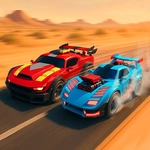
Floor it, launch off ramps, and chain nitro-boosted barrel flips through a wild 3D obstacle course where one wrong landing sends you tumbling.
💬What is Max Speed?
Max Speed lives up to its name. You're strapped into a stunt car on a wild 3D track, and the whole point is to go big — flips, barrel rolls, nitro blasts, the works. Controls are simple: arrow keys handle everything. Up or W throws the car into a front flip, down or S whips a backflip, and the left/right arrows twist you into a barrel roll. Tap Shift or Space and the nitro kicks in, which is exactly when things get gloriously unhinged. I spent my first few runs just eating guardrails because I kept holding the flip keys too long.
Here's the thing: rotation is everything. A front flip off a small ramp will send you spinning faster than you expect, and if you don't straighten out before landing, you'll bounce off your roof and watch the camera do a sad little roll. The trick I eventually learned: start your flip just as the front wheels leave the ramp, then release the key about halfway through the rotation. The car will naturally right itself if you don't overcorrect. Barrel rolls are trickier — they feel like they take ages, so tap the left or right arrow in short bursts instead of holding it down. And save nitro for the straight sections after a big jump; using it mid-air just makes the car do a drunk helicopter impression.
Graphically it's a clean low-poly 3D world with bright colors and plenty of ramps, loops, and floating platforms to keep you chasing a better line. There's no story, no upgrades, no filler — just you, the car, and a growing pile of spectacular crashes. It's the kind of game you open for five minutes and then notice an hour has passed. If you like stunt driving with forgiving physics but enough challenge to keep you honest, Max Speed is a blast.
👥How to Play Max Speed
Mouse click or tap to playArrow Up/W - Front flip; Arrow Down/S - Back flip; Shift/Space - Nitro; Arrow Left/A - Turn left/Barrel Flip; Arrow Right/D - Turn right/Barrel flip
✨Game Tips
Tap up arrow just before a ramp crest to start a front flip early — you'll rotate faster and have more time to stick the landing.
Save your nitro for straightaways after big jumps; using it mid-air can spin you out.
Don't hold the turn keys during a flip; tap them lightly to adjust rotation without overdoing the barrel roll.
Watch the shadow under your car to line up landings — it's the best indicator of where you'll touch down.
If you're about to land nose-first, tap down arrow for a quick backflip recovery.
🔧FAQ
Q: Is Max Speed free to play?
A: Yes, it's completely free in your browser. No hidden fees or premium unlocks.
Q: Can I play Max Speed on mobile?
A: The game works best with a keyboard, but touch controls are available on mobile devices.
Q: Do I need to download anything?
A: No downloads needed. Max Speed runs directly in your browser using HTML5.
Q: What are the controls for Max Speed?
A: Arrow keys or WASD: up/W front flip, down/S backflip, left/A and right/D turn or barrel flip. Shift/Space for nitro.
Q: Why does my car keep flipping over?
A: You're probably holding the flip keys too long. Tap the flip key briefly and release early to land cleanly.
Q: Can I play Max Speed offline?
A: As long as the page is loaded, the game runs offline. But you need internet to load it initially.