
Maze Runner
Play Count0
Published2021-09-24
Supported DevicesPC
CategoryAdventure & RPG
Rating★★★★★5.0Rate this game
📝Maze Runner Overview
Can you thread a twisting labyrinth without brushing a single wall? Maze Runner tests your spatial memory and nerves with every turn.
💬What is Maze Runner?
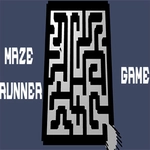
There's a special kind of dread when you turn a corner in Maze Runner and realize you've seen that exact dead end before—maybe twice. The game doesn't bother with story fluff or cutscenes; it drops you at the mouth of a labyrinth and says, in effect, good luck. I love that purity. Every corridor looks identical at first, all gray walls and tight angles, until you start building a mental map. Then the layout snaps into focus like a puzzle you didn't realize you were solving. The first five minutes feel like wandering, but the sixth minute feels like planning.
The controls are straightforward: mouse to guide, arrow keys or WASD to move. But straightforward is not the same as forgiving. One overeager tap and you glide right past a side passage, or slam into a wall and lose your bearings. The game tracks every twitch with quiet precision, and that's where the tension lives. I kept coming back after each dead end because the next attempt felt genuinely winnable—there's no cheap random generation here, just a fixed maze that punishes sloppiness and rewards a steady hand. If you're the type who talks to the screen while backtracking ('I swear the exit was right here'), you'll fit right in.
Eventually you start noticing tiny landmarks: a slightly darker floor tile, a corridor that bends twice instead of once, the faint visual rhythm of a route you've already failed. That shift from blind panic to deliberate route-mapping is the real payoff. Maze Runner doesn't need flashy graphics or power-ups; it leans on the oldest thrill in gaming—a locked path, a winding corridor, and your own stubborn refusal to quit. One more try always feels like the one that gets you out.
👥How to Play Maze Runner
Use mouse to play or keyboard.
✨Game Tips
- Hug the left wall early to learn the layout before trying risky shortcuts.
- Tap the arrow keys lightly; hard turns cause overshooting into dead ends.
- When you spot a long corridor, commit to it but watch for hidden side openings.
- Use the mouse for finer movement if your keyboard taps feel too jerky.
- Backtracking isn't failure—often the right path is behind a fork you skimmed past.
- Pause at intersections and scan each branch for subtle color differences or floor markings.
🔧FAQ
Q: Is Maze Runner free?
A: Yes, it's completely free to play in your browser with no subscription or hidden fees.
Q: Can I play Maze Runner on mobile?
A: It works on mobile browsers, but keyboard or mouse on desktop gives you much better precision for tight turns.
Q: Do I need to download anything to play?
A: No downloads needed. The game runs directly in your browser using HTML5.
Q: What are the controls for Maze Runner?
A: Use the mouse to guide your character, or use arrow keys / WASD to move through the maze.
Q: Is Maze Runner suitable for kids?
A: Absolutely. There's no violence or inappropriate content—just pure maze-solving and reflex control.
Q: Can I play Maze Runner offline?
A: No, you need an internet connection to load the game in your browser.