
Mega Car Death Ramps 3d
Play Count0
Published2021-04-20
Supported DevicesPC
CategoryAdventure & RPG
Rating★★★★★5.0Rate this game
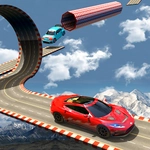
📝Mega Car Death Ramps 3d Overview
Launch a turbocharged car off a sky-high ramp, flip through gravity-defying rolls, and pray you land wheels-down before the next death drop.
💬What is Mega Car Death Ramps 3d?
You ever floor it toward a ramp that ends in open air and just hope physics has your back? That's the whole vibe here. Mega Car Death Ramps 3d puts you in a car that feels weighty but responsive, on a series of absurdly high, narrow ramps suspended over a void. The keyboard controls are tight enough that when you screw up, it's on you – and you will screw up, a lot. The first time I sent the car into a triple backflip only to nose-dive into the abyss, I actually laughed out loud, then immediately reset for another run.
What makes it work is the balance between speed and mid-air control. Hit the ramp too slow and you'll stall, too fast and you overshoot the landing entirely. But once you're airborne, you get just enough rotational input to correct your trajectory – if you're quick. The ramps themselves are the real enemy: some tilt, some have blind crests, and a few feel deliberately designed to send you spinning. It's not a pure racing game; it's more like a stunt sandbox with survival stakes. You'll find yourself leaning in your chair on long jumps, which is the mark of a solid driving game.
The 3D visuals are clean enough to read the distance and angle of the next platform, which matters because depth perception is half the battle. I'd recommend playing with sound on – the engine whine and the crunch of a bad landing add a lot. If you enjoy games where every successful landing feels like a minor miracle, this one will keep you busy for a while. Just don't expect the car to forgive your mistakes. It won't.
👥How to Play Mega Car Death Ramps 3d
keyboard control
✨Game Tips
Brake lightly before cresting a ramp so you don't launch into a wild spin.
Use short taps on the arrow keys rather than holding them to adjust your rotation mid-air.
Watch the shadow of your car on the ground – it tells you exactly where you'll land.
If a ramp looks tilted, aim for the flat edge, not the peak.
Speed isn't always your friend; sometimes coasting over a ramp gives you more control.
Don't rage-quit after a bad crash – the reset is fast and each attempt teaches you the next ramp's angle.
🔧FAQ
Q: Is Mega Car Death Ramps 3d free to play?
A: Yes, it's completely free in your browser with no hidden payments.
Q: Do I need to download anything to play Mega Car Death Ramps 3d?
A: No downloads needed. It runs directly on HTML5 in any modern browser.
Q: Can I play Mega Car Death Ramps 3d on my phone?
A: The game is designed for keyboard controls, so a desktop or laptop is recommended for the best experience.
Q: What are the controls for Mega Car Death Ramps 3d?
A: You use the keyboard – typically arrow keys or WASD – to accelerate, brake, and control the car in the air.
Q: Is Mega Car Death Ramps 3d unblocked at school?
A: Since it's hosted as an HTML5 game on unblocked game sites, it usually works on school networks without restrictions.
Q: Does Mega Car Death Ramps 3d have multiple levels?
A: The game features a series of increasingly difficult ramp layouts, though the exact number can vary by version.