
Meme Tiles
Play Count0
Published2026-07-10
Supported DevicesPC + Mobile
CategoryAdventure & RPG
Rating★★★★★5.0Rate this game
📝Meme Tiles Overview
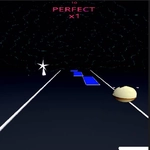
Dodge, sidestep, and survive a 3D avalanche of meme-faced tiles that never stops coming—your reaction time is the only thing keeping you alive.
💬What is Meme Tiles?
The first time I played Meme Tiles, I thought it would be a joke. It is, but not in the way you expect. You're a little cube or character sliding down a 3D track, and the track is made of tiles plastered with internet memes. Some are safe. Some will flatten you. You have only two inputs: left and right. That's it. There's no jump, no brake, no pause button that forgives mistakes. Just left, right, and the growing certainty that the next tile is a trap.
The 3D perspective makes everything feel fast and slightly claustrophobic. Tiles rush toward you like a conveyor belt from a fever dream. The meme faces blur by—old ones, new ones, some I recognized mid-laugh and then died because I was too busy grinning. The real hook is the pace. It starts gentle, almost polite. Then the speed creeps up. By the time you hit the later stretches, you're twitching between lanes like a caffeinated squirrel, convinced the game is reading your mind and deliberately placing a wall right where your thumb wants to go.
For a game this simple, it gets its hooks in deep. I kept restarting after stupid deaths because the "one more run" pull is real. There's no story, no upgrades, no loot boxes—just you against an endless wall of memes and your own reflexes. That purity is rare. If you have ninety seconds to kill, this will eat them. If you have an hour, it'll eat that too. Just don't blame me when you start seeing surprised Pikachu faces in your sleep.
👥How to Play Meme Tiles
Desktop: Left / Right Arrow Keys
Mobile: Tap Left / Right Side of the Screen
✨Game Tips
Tap sooner than feels comfortable—the lane switch has a slight delay when speed ramps up. Don't watch the tiles directly ahead; focus on the gap two or three rows down. Mobile players: use thumbs on both sides, not one finger tapping back and forth. Memorize which meme faces usually mean death in the later stages. Restart immediately after a dumb death to keep your rhythm instead of fuming. The first ten seconds are free; use them to center your eyes on the middle lane.
🔧FAQ
Q: Is Meme Tiles free to play?
A: Yes, it's completely free in your browser with no paywalls or hidden fees.
Q: Do I need to download anything to play Meme Tiles?
A: No download needed. It runs as an HTML5 game straight from your web browser.
Q: Can I play Meme Tiles on my phone?
A: Yes, the mobile version works with taps on the left or right side of the screen.
Q: What are the controls for Meme Tiles on desktop?
A: Use the left and right arrow keys to switch lanes and avoid the meme tiles.
Q: Is Meme Tiles blocked at school?
A: Many school networks block game sites, but unblocked mirrors often work. Try a few.
Q: Does Meme Tiles get harder over time?
A: Yes, the speed steadily increases, making it harder to react the longer you survive.