
Memory Test 3D
Play Count0
Published2023-10-02
Supported DevicesPC
CategoryAdventure & RPG
Rating★★★★★5.0Rate this game
📝Memory Test 3D Overview
Wander through a shifting 3D maze and hope your sense of direction holds up better than mine did when every corridor looks the same.
💬What is Memory Test 3D?
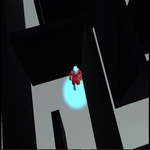
I turned a corner and immediately realized I had no idea which identical hallway I'd just walked down. That's Memory Test 3D in a nutshell: a first-person memory challenge where the real enemy isn't a timer or a monster—it's your own spatial recall. You move with WASD and look around with the mouse, exploring a clean 3D maze that gives you almost no visual hand-holds. The job is simple: wander through the rooms, memorize the route, and then get back to where you started (or reach a target, depending on the twist). The moment you get cocky is exactly when you'll end up staring at the same blank wall three times in a row.
What got me is how quietly stressful it gets. There's no music swelling, no countdown beeping, just the soft sound of your own footsteps as you decide whether that left turn was the one with the faint smudge on the wall. I started talking to myself (okay, past the pillar, second right) and still messed it up. The Esc key is there for a reason: if you completely lose the mental map, it dumps you back to the main menu so you can start fresh without rage-quitting the browser tab. It's a small grace, but you'll use it more than you'd like to admit.
If you're after a chill puzzle that doubles as a brain workout, this one earns its place. Don't expect story or upgrades; expect to be humbled by your own short-term memory. Perfect for a quick session between classes or as a low-key way to train observation skills without feeling like homework.
👥How to Play Memory Test 3D
Move: WASD + Mouse to look
Escape : it return to you to main menu if you forget the map or get lost
✨Game Tips
Use the Esc key the second you realize you've lost the route—it's faster than wandering in circles.
Pick one fixed landmark per intersection (a wall smudge, a corner angle, a floor seam) and chain them together.
When you enter a new room, stand still for a moment and mentally replay the last three turns you took.
Move slowly enough to register details; rushing just burns the map into mush.
Look up and down occasionally—some maps hide subtle ceiling or floor differences that act as breadcrumbs.
If you hit a dead end, back up the way you came and say out loud which turn you're undoing.
🔧FAQ
Q: Is Memory Test 3D free to play?
A: Yes, it's completely free in your browser with no paywalls or premium unlocks.
Q: Can I play Memory Test 3D on my phone?
A: The browser version works on mobile, but WASD plus mouse controls are best on desktop or laptop.
Q: Do I need to download anything to play Memory Test 3D?
A: No download required. It runs as an HTML5 game in any modern web browser.
Q: What are the controls in Memory Test 3D?
A: Use WASD to move, your mouse to look around, and Esc to return to the main menu if you get lost.
Q: Does Memory Test 3D need an internet connection?
A: Yes, you need an active internet connection to load the game in your browser.
Q: Is there a way to save my progress in Memory Test 3D?
A: Progress isn't saved between sessions, so each run is a fresh memory challenge.