
Meya City Stunt
Play Count0
Published2021-04-09
Supported DevicesPC
CategoryAdventure & RPG
Rating★★★★★5.0Rate this game
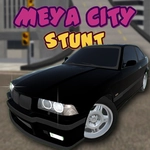
📝Meya City Stunt Overview
Tear through neon-lit streets in a tuner car, hit ramps at full nitro, and try to land impossible flips without wrecking.
💬What is Meya City Stunt?
Meya City Stunt drops you behind the wheel of a low-slung street car in a city built for one thing: launching off stuff. It's not a racing game in the traditional sense—there are no checkpoints, no opponents, no timer breathing down your neck. Instead, you get a sandbox full of ramps, ledges, and accidentally-perfect gaps between buildings. The first time I nailed a triple backflip off a highway overpass and landed clean, I actually said "whoa" out loud.
Controls are simple enough to pick up, but the physics give you just enough rope to hang yourself. WASD or arrows get you moving, F dumps a burst of nitro, and Space yanks the handbrake for sharp drifts or mid-air rotation tweaks. The real trick is learning when to let off the throttle. Hold it too long on a ramp and you'll loop right onto your roof. Tap the handbrake at the top of a jump and you'll flatten out for a smooth landing. I lost count of how many times I reset after a catastrophic nose-dive—and immediately went back for more.
The camera toggle with C is a quiet lifesaver. The default chase cam looks great, but switching to hood view makes judging distances on narrow rooftop jumps ten times easier. You can also flick on the headlights with L when the in-game sun dips low, which feels oddly satisfying during a night drift session. If you're the type who enjoys setting your own goals—jump over the gas station, land on that moving train, see how far you can fly off the parking garage—Meya City Stunt is the kind of game you'll leave open in another tab all afternoon.
👥How to Play Meya City Stunt
You can move the car with the W, A, S, D or Arrow keys,
Can use nitro with F,
Can turn on lamps with L,
Can use handbrake with Space,
You can switch cameras with C.
✨Game Tips
Feather the throttle on ramps instead of holding W the whole way up – you'll keep the nose level.
Tap the handbrake mid-air to rotate faster during spins.
Save nitro for the last stretch of a long jump, not the start.
Press C to cycle cameras; the hood cam makes judging gaps way easier.
Turn on the headlights with L at dusk – the city shadows hide landing zones.
Use the arrow keys if you prefer a more classic feel; WASD works but arrows feel tighter.
🔧FAQ
Q: Is Meya City Stunt free to play?
A: Yes, it runs free in your browser with no paywalls or hidden fees.
Q: Can I play Meya City Stunt on my phone?
A: The game is keyboard-based, so mobile isn't ideal. A laptop or desktop with a keyboard works best.
Q: Do I need to download anything to play Meya City Stunt?
A: No download needed. It loads directly in your web browser as an HTML5 game.
Q: What are the controls for Meya City Stunt?
A: Use WASD or arrows to drive, F for nitro, Space for handbrake, L for lights, and C to change camera.
Q: Does Meya City Stunt have multiplayer mode?
A: No, it's a single-player sandbox. You explore and stunt at your own pace.
Q: Why does my car keep spinning out on ramps?
A: Tap the handbrake or counter-steer as you land. Feather the throttle instead of flooring it mid-air.