
Mine Bomber
Play Count0
Published2022-12-12
Supported DevicesPC + Mobile
CategoryAdventure & RPG
Rating★★★★★5.0Rate this game
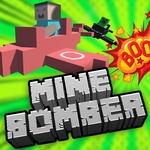
📝Mine Bomber Overview
Grab a pickaxe? Nah, you've got bombs. Dig through a 3D voxel world where every crater leaves a path to deeper loot—or a nasty surprise.
💬What is Mine Bomber?
Your first bomb leaves a crater the size of a bathtub, and that's just the opening move. Mine Bomber drops you into a blocky, fully 3D underground where the only tool that matters is high explosive. You don't mine with a pickaxe—you carve tunnels with timed bombs, then scramble down the fresh holes to snag ore, gems, and power-ups before the dust settles. There's something weirdly satisfying about watching stone voxels pop into a spray of debris while your little miner scoots backward just out of range.
Controls are simple enough: arrow keys or WASD to move, space to drop a bomb, and on mobile you drag one half of the screen to steer and tap a button to blow things up. The real trick is managing fuse time and blast radius. I dropped three bombs in a row once, backed off to what I thought was a safe corner, and still caught the edge of the chain reaction—lesson learned the hard way. You can also trigger chain explosions by placing bombs near terrain that's already weakened or near other bombs, which opens up shortcuts but also kills you if you're careless.
The 3D perspective makes aiming and escape routes matter more than the typical top-down bomber game. Some tunnels curve, some ore sits on high ledges, and occasionally an enemy or hazard wanders into your blast zone. There's no handholding, no tutorial beyond a quick prompt—you learn by cratering yourself a few times. It's a small game, but the loop of dig, grab, repeat keeps me coming back for one more run. If you like voxel worlds, timed explosives, and that mild panic of counting down a fuse, Mine Bomber scratches the itch without needing a download.
👥How to Play Mine Bomber
Movement with arrows (or half screen touch). drop bomb via "space" key or button on the screen.
✨Game Tips
Learn the bomb's fuse timer by dropping one in an open area and counting the beeps—it never changes, so memorize the rhythm.
Always clear an escape route before dropping your second bomb; chain reactions can seal you in a pocket with no exit.
On mobile, use the left half of the screen to move and keep your thumb near the bomb button; don't cross your arms.
Dig downward at an angle, not straight down, so you can climb back out without wasting bombs on stairs.
Watch for cracked or darker stone—it's weaker and often hides better loot behind a single blast.
If an enemy is chasing you, drop a bomb at your feet, keep running, and don't look back until you hear the boom.
🔧FAQ
Q: Is Mine Bomber free to play?
A: Yes, the game is completely free to play in your browser with no paywalls or hidden charges.
Q: Can I play Mine Bomber on mobile?
A: Absolutely. The game supports touch controls—use one half of the screen to move and the on-screen button to drop bombs.
Q: Do I need to download anything to play Mine Bomber?
A: No downloads required. It runs directly in your web browser as an HTML5 game.
Q: What are the controls for Mine Bomber on desktop?
A: Use arrow keys or WASD to move, and press the spacebar to drop a bomb. That's all you need.
Q: Why does my bomb not explode right away?
A: Bombs have a short fuse timer. Step back and wait a couple of seconds—then the blast radius will clear terrain.
Q: Is there a goal or end to Mine Bomber?
A: There's no strict end; you keep mining and exploding as long as you survive. Try to gather as many resources as you can.