
Mine Noob Maze
Play Count0
Published2023-05-16
Supported DevicesPC + Mobile
CategoryAdventure & RPG
Rating★★★★★5.0Rate this game
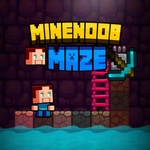
📝Mine Noob Maze Overview
Think you can escape a blocky maze that keeps rearranging itself in your head? Steer the noob through twisty corridors and avoid getting hopelessly lost.
💬What is Mine Noob Maze?
I've played a lot of maze games over the years, but Mine Noob Maze gets under your skin with how deceptively simple it looks. You control a blocky little noob character plopped into a grid-based maze, and your only job is to find the way out. Arrow keys on desktop, swipe on touch – that's it. But the maze itself is the real antagonist. The walls are tall and claustrophobic, the corridors all look the same after a while, and just when you think you've memorized the route, you realize you've been walking in circles for two minutes. There's a particular corner I kept hitting where I was sure the exit was right around the bend, but nope – another dead end. That's the game's charm.
What makes it stick is the mental mapping. Unlike endless runner maze games, here you have to actually build a picture in your head. Left, left, right, then maybe backtrack because you forgot a turn. The noob moves at a steady pace, not too fast, which gives you time to think but also turns every mistake into a little facepalm. I wouldn't call it brutally hard, but it's not a cakewalk either. The levels seem to ramp up in complexity, introducing more dead ends and longer stretches where you have to trust your memory over your eyes.
If you enjoy spatial puzzles or just want to kill ten minutes without any shooting or timers, this one's a good pick. It's the kind of game you'll reopen because the maze layout burned itself into your brain and you need to prove you can beat it this time. It's not revolutionary, but it's honest, and sometimes that's enough.
👥How to Play Mine Noob Maze
PC controls:
Use the arrow keys to move around the map
Touch controls:
Touch and slide to move around the map
✨Game Tips
Hug one wall consistently if you're lost – it won't always be the fastest route, but it'll eventually lead you out.
Take a mental snapshot at every intersection; the maze repeats corridors so you can't rely on landmarks.
On mobile, short swipes give better control than long drags when you need to stop on a dime.
If you hit a dead end, immediately retrace your steps instead of wandering – it saves a ton of time.
Try to map the maze in quadrants rather than remembering individual turns. It's less overwhelming.
🔧FAQ
Q: Is Mine Noob Maze free to play?
A: Yes, it's completely free in your browser with no hidden paywalls or subscriptions.
Q: Do I need to download anything to play Mine Noob Maze?
A: No downloads needed. It runs right in your web browser as an HTML5 game.
Q: Can I play Mine Noob Maze on my phone or tablet?
A: Absolutely. The touch controls work smoothly on mobile devices with swipe to move.
Q: What are the controls for Mine Noob Maze?
A: On PC use arrow keys. On touch devices, touch and slide in the direction you want to move.
Q: Is Mine Noob Maze suitable for kids?
A: Yes, it's a non-violent maze puzzle with simple controls and no scary content.
Q: Can I save my progress in Mine Noob Maze?
A: The game doesn't have a save system, but levels are short so you can restart quickly if you get stuck.