
Mineblocks
Play Count0
Published2025-07-25
Supported DevicesPC + Mobile
CategoryAdventure & RPG
Rating★★★★★5.0Rate this game
📝Mineblocks Overview
Grab a fistful of dirt and start digging—Mineblocks drops you into a 2D world where every block can be broken, placed, or turned into shelter.
💬What is Mineblocks?
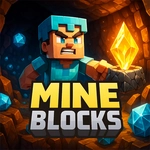
Mineblocks is a side-scrolling sandbox that feels like someone squeezed Minecraft into a 2D platformer. You spawn on a random surface with nothing but your hands, and the first thing you'll do is start whacking grass and trees for basic resources. The controls are simple—keyboard or touch—but don't let that fool you: the real tension comes from the day-night cycle. When dusk hits, the screen gets darker and things start crawling out. My first night I panicked, built a three-block dirt hovel, and sat inside listening to footsteps. It worked, sort of.
What keeps me coming back is the loop: mine, craft, explore, repeat. Each block has a purpose, and you'll learn which ones matter fast. Wood becomes planks, planks become tools, tools let you dig stone faster. There's no tutorial, so you figure it out through trial and error—or by dying a few times. I lost a full inventory to a creeper because I got greedy mining iron near a lava pocket. That's the game's charm: it punishes overconfidence but rewards preparation.
Touch controls work surprisingly well for a block builder. On mobile, you tap where you want to mine or place, and holding down speeds things up. The inventory and crafting menus are bare-bones but functional. It's not trying to be a triple-A survival sim; it's a quick, satisfying rabbit hole you can fall into during a lunch break. If you like breaking stuff and building hideouts, this one's worth your time.
👥How to Play Mineblocks
Use the keyboard or touch to play
✨Game Tips
Always carry a stack of dirt for quick scaffolding and escape routes.
Night spawns mobs, so get a basic shelter before sunset.
Hold punch on tree trunks to break logs faster than tapping.
Craft a workbench early to unlock better tools and recipes.
Don't dig straight down—lava and drops will end you fast.
Use touch controls by tapping where you want to mine or place; hold for repeated actions.
🔧FAQ
Q: Is Mineblocks free to play?
A: Yes, Mineblocks is completely free in your browser—no paywalls or hidden costs.
Q: Can I play Mineblocks on mobile?
A: Absolutely. Touch controls are built in, and the game works on most smartphones and tablets.
Q: Do I need to download anything to play Mineblocks?
A: No downloads required. It runs instantly in any modern web browser with HTML5.
Q: What devices support Mineblocks?
A: Any device with a browser—PC, Mac, Chromebook, Android, or iOS—can run it smoothly.
Q: Is Mineblocks suitable for kids?
A: Yes, it's a family-friendly sandbox with no gore or mature content, just blocky survival fun.
Q: Does Mineblocks have multiplayer?
A: No, it's a single-player experience. You explore and build your own world at your own pace.