
Mini Car Simulator
Play Count0
Published2026-04-15
Supported DevicesPC + Mobile
CategoryAdventure & RPG
Rating★★★★★5.0Rate this game
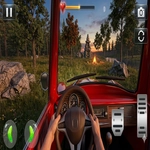
📝Mini Car Simulator Overview
Slide behind the wheel of a tiny car and tear through a world built for giants—can you find every hidden corner without flipping?
💬What is Mini Car Simulator?
I’m not gonna pretend I didn’t spend twenty minutes just ramping off a couch cushion. Mini Car Simulator drops a toy-sized car into a house or park-like space where table legs feel like redwoods and a discarded remote becomes a mountain range. The core loop is simple: drive, boost, crash, respawn. But the tiny scale makes even a short driveway feel like a cross-country expedition. You’ll creep under chairs, slide across kitchen tiles, and occasionally wedge yourself so thoroughly that the reborn button becomes your best friend.
What caught me off guard was the camera system. Tapping the camera button cycles through angles that completely change how you read the environment—one minute you’re bumper-view, the next you’re watching from a shelf like a miniature security camera. That little shift turns “uh oh, I’m stuck” into “wait, if I back up at an angle and punch the booster…” I’ve lost more time than I care to admit trying to climb a stack of books via the sofa arm, only to flip backward and land wheels-up on a rug. Those moments feel less like failure and more like physics comedy.
There’s no real story or mission list—just you, a tiny car, and a big room. That’s enough. If you liked playing with toy cars as a kid (or still do, no judgment), this scratches that itch without a thousand menus in the way.
👥How to Play Mini Car Simulator
Mobile Controls:
Use on-screen buttons to move your car forward, backward, left, and right. Tap the booster button for extra speed. Use the camera button to change different viewing angles while driving. If your car gets stuck or crashes, press the reborn
✨Game Tips
Save the booster for ramps, not straightaways—it's way too easy to overshoot and wedge under furniture.
Use the camera button before backing out of tight spots; top-down view shows exactly how your wheels are angled.
If you flip onto your roof, don't just mash buttons—steer while holding reverse, it sometimes rocks the car back over.
Explore edges and seams; the game hides little shortcuts on baseboards and rug corners.
When you get stuck between two objects, tap reborn instead of fighting the physics for a minute.
Brake early for turns—this car carries momentum like a shopping cart with a jet engine.
🔧FAQ
Q: Is Mini Car Simulator free to play?
A: Yes, it runs free in your browser—no paywall or premium pass.
Q: Can I play Mini Car Simulator on mobile?
A: Yes, the on-screen buttons work on phones and tablets, and it feels made for touch.
Q: Do I need to download anything?
A: No downloads, no installs. Just open the page and start driving.
Q: What if my car gets stuck or flips?
A: Tap the reborn button and you'll respawn nearby, ready to try again.
Q: Can I change the camera view?
A: Yes, the camera button cycles through multiple angles, including bumper and overhead views.
Q: Is there a multiplayer or racing mode?
A: No, it's a single-player exploration and driving sandbox, not a competitive racer.