
Miss Tuna
Play Count0
Published2022-01-03
Supported DevicesPC + Mobile
CategoryAdventure & RPG
Rating★★★★★5.0Rate this game
📝Miss Tuna Overview
Overshoot a ledge, panic, then save yourself with a perfectly timed double jump—Miss Tuna turns simple swimming into a tense little platformer.
💬What is Miss Tuna?
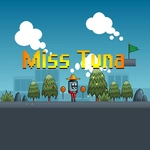
The first time I overshot a ledge and still made it back with a last-second double jump, I knew Miss Tuna had me hooked. It’s one of those platformers that feels simple at first—move left, move right, jump—then quietly demands precision once the gaps widen and the currents start pushing back. You control a determined little tuna through a series of increasingly tricky underwater stages, and the double jump isn’t just a gimmick. It’s your main tool for surviving.
What I appreciate is that the controls stay consistent: WASD or arrows get you around, and tapping W or the up arrow twice triggers that extra hop. The rhythm of it matters more than raw reflexes. Sometimes you’ll want to burn the second jump immediately to reach a high platform; other times you’ll hold it until you’re already falling, just to correct a near-miss. I died a few times learning that lesson—especially on stages where the floor disappears and you’re left chaining jumps across floating debris. The water gives everything a slight floaty feel, which sounds easy but actually makes your landing commitments more important.
Visually, it’s charming without being babyish. The backgrounds shift from bright coral to darker trenches, and the hazards vary enough that you won’t just autopilot through. There’s no combat or complex inventory. Just you, your jumps, and a level layout that rewards patience. If you’re looking for a quick unblocked game that still asks for a bit of skill, Miss Tuna delivers. I kept coming back to shave seconds off my clear times, which is probably the highest compliment I can give a fish with double jump physics.
👥How to Play Miss Tuna
WASD or arrow keys for movement.
Press W or up arrow key twice for double jump.
✨Game Tips
Master the double jump early—tap W or up twice quickly for extra height, but save the second jump for mid-air corrections on wide gaps.
🔧FAQ
Q: Is Miss Tuna free to play?
A: Yes, it's completely free in your browser with no payment or subscription.
Q: Do I need to download anything?
A: No downloads or installs. Just open the page and start swimming.
Q: What are the controls for Miss Tuna?
A: Use WASD or arrow keys to move, and press W or up arrow twice to double jump.
Q: Can I play Miss Tuna on mobile?
A: It works best with a keyboard, but many mobile browsers can use an on-screen control overlay.
Q: Is Miss Tuna unblocked at school?
A: Since it's an HTML5 browser game, it usually runs anywhere unblocked games are allowed.
Q: How long does it take to finish Miss Tuna?
A: Most players clear the main stages in under 30 minutes, but perfect runs take longer.