
Mission Coronavirus
Play Count0
Published2020-02-07
Supported DevicesPC
CategoryAdventure & RPG
Rating★★★★★5.0Rate this game
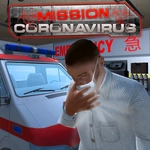
📝Mission Coronavirus Overview
Grab the wheel of an ambulance, weave through traffic, and race against the clock to save lives in a city under lockdown.
💬What is Mission Coronavirus?
Mission Coronavirus drops you behind the wheel of an ambulance with one job: get to the next patient before it's too late. The city feels appropriately chaotic—cars parked haphazardly, intersections clogged, and the occasional pedestrian darting across the road. You steer with the arrow keys or WASD, and honestly, the handling is tighter than I expected for a browser game. There's a satisfying weight to the ambulance when you cut a corner a little too fast and feel the back end slide.
The camera toggle with C is a lifesaver. I found myself switching between the close chase cam and a higher overhead view depending on how tight the streets got. The L key controls your lights, and even though I'm not sure it affects traffic behavior, flicking them on as you barrel toward an emergency adds a layer of tension that made me grip my keyboard a little harder. The missions are straightforward—pick up a patient here, drop them at the hospital there—but the timer keeps the pressure on. Miss a turn and you'll watch precious seconds bleed away while you do a three-point turn in a narrow alley.
It's a simple premise, but the 3D city layout gives you just enough room to improvise. I started taking side streets to avoid main road congestion, which felt like actual strategy rather than button-mashing. If you're looking for a quick arcade-style drive with a pandemic theme, this one scratches that itch without overstaying its welcome.
👥How to Play Mission Coronavirus
You can direct the ambulance with the arrow keys or W, A, S, D,
You can change the camera angles with the C key,
You can turn the lights on and off with the L button.
✨Game Tips
Use the C key to switch camera angles when the default view hides oncoming traffic.
Keep your speed in check on tight turns—the ambulance's rear end loves to swing out.
Plan your route before you floor it; main roads are often clogged but wider.
Toggle the lights with L for extra immersion, even if it doesn't change traffic AI.
Don't ignore the side alleys—they're narrow but can shave crucial seconds off your run.
🔧FAQ
Q: Is Mission Coronavirus free?
A: Yes, it's completely free to play in your browser.
Q: Can I play Mission Coronavirus on mobile?
A: The game uses keyboard controls, so mobile play is not supported.
Q: Do I need to download anything to play?
A: No downloads required—just open the page and the game loads instantly.
Q: What are the controls for Mission Coronavirus?
A: Use arrow keys or WASD to drive, C to change camera, and L to toggle lights.
Q: Does Mission Coronavirus require an internet connection?
A: Yes, it's an online browser game, so you need an active connection.
Q: Can I play Mission Coronavirus with a friend?
A: No, this is a single-player driving game with no multiplayer mode.