
Mizu Quest
Play Count0
Published2023-01-06
Supported DevicesPC + Mobile
CategoryAdventure & RPG
Rating★★★★★5.0Rate this game
📝Mizu Quest Overview
Battle through floating islands and double-jump across deadly gaps in this Japanese-inspired platform adventure.
💬What is Mizu Quest?
The double jump in Mizu Quest is the whole game. Tap jump once, then again mid-air, and you'll clear gaps that look impossible at first glance. It's the kind of move that feels awkward for about thirty seconds, then becomes second nature — and then the level design starts testing it hard.
I died a lot on the third floating island, not because the enemies were tough, but because I kept mistiming that second leap over a spiked chasm. The platforming is precise but fair; the hitboxes are clean. Mizu Quest doesn't hold your hand, but it also doesn't throw cheap shots. You'll learn to read the rhythm of each jump: falling short usually means you double-jumped too late, while overshooting means you rushed it.
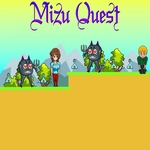
Visually it's simple but sharp — clean silhouettes, soft blue water themes, minimal UI. There's no clutter, so you can focus on the actual jumping. Between the tricky sections you'll find secret alcoves and collectibles that reward curiosity. It's a short, focused adventure that respects your time, and the retro pixel aesthetic gives it a cozy charm without sacrificing challenge.
👥How to Play Mizu Quest
Use "WASD" or "Arrow" keys for the player's movement.
Use "W" or "Up" arrow key twice for double jump.
✨Game Tips
Tap the jump key twice fast, but not too early — let the first jump reach its peak before the second.
Use arrow keys or WASD, but stick to one scheme; switching mid-run will get you killed.
Look for gaps in enemy patterns before committing to a jump over them.
Practice the double jump on flat ground until you can chain it without thinking.
Some ledges look out of reach — try a running start before the double jump.
If you're falling short, you're probably double-jumping too late; the second input needs to come before the apex.
🔧FAQ
Q: Is Mizu Quest free to play?
A: Yes, it's completely free in your browser with no paywalls or hidden fees.
Q: Can I play Mizu Quest on mobile?
A: The game is built for keyboard controls, so mobile touch support is limited. A desktop browser works best.
Q: Do I need to download anything to play Mizu Quest?
A: No downloads required. Just open the page and start playing instantly.
Q: What are the controls for Mizu Quest?
A: Use WASD or arrow keys to move. Press W or Up arrow twice quickly to double jump.
Q: Is Mizu Quest suitable for kids?
A: Yes, it's a non-violent platformer with mild challenge. Younger players may need patience with the double jump.
Q: Can I save my progress in Mizu Quest?
A: Progress saves automatically in your browser between sessions, as long as you don't clear cookies.