
Monster Truck 3D
Play Count0
Published2020-05-05
Supported DevicesPC
CategoryAdventure & RPG
Rating★★★★★5.0Rate this game
📝Monster Truck 3D Overview
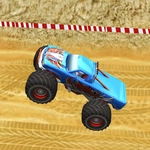
Roar into a muddy off-road arena where every jump can end in a glorious flip or a crumpled fender—your call.
💬What is Monster Truck 3D?
This isn't one of those polished racing sims where the truck practically drives itself. Monster Truck 3D gives you a lump of raw torque, two inputs, and a physics engine that absolutely will not forgive a bad landing. You push W to slam the gas, S to brake or reverse, and A/D to pitch the truck mid-air. That pitch control is everything. Early on I kept nosediving into hills because I forgot to tap D as I left the crest. Once you figure out that split-second correction, the game opens up—you can rotate a full backflip off a steep ramp and slam down with the suspension groaning.
The terrain is deliberately awkward. Short climbs, loose dirt, sharp crests that send the rear axle skyward. You'll find yourself feathering the throttle on steep sections because holding W just spins the wheels and digs you into a rut. There's no nitro, no upgrades, no checkpoint system—just you versus the hill. And that's the appeal. I spent a good twenty minutes on one particular climb, overshooting the landing and rolling backward, laughing as the truck did a slow-motion barrel roll over a rock. It's janky in the best way, like a tech demo that accidentally became fun.
Performance is smooth on most browsers, and the camera stays close enough that every bounce feels physical. It won't win awards for graphics, but the mud spray and suspension flex are convincing enough. If you want a quick, consequence-free stunt session where the only goal is to reach the top without flipping, this scratches the itch.
👥How to Play Monster Truck 3D
Controls:
• WS - accelerate/break
• AD - rotate pitch
✨Game Tips
Nail the pitch: tap D right after takeoff to bring the nose down; tap A to lift it and rotate for backflips.
Don't floor it on loose climbs—pulse the throttle to keep traction instead of digging holes.
Use S as a brake mid-air before landing to cut speed and avoid bouncing off a ledge.
Land flat with all four wheels whenever possible; even slight angles can snap the suspension.
Reverse is your friend if you're stuck against a rock—back up a tyre's width and try a different line.
🔧FAQ
Q: Is Monster Truck 3D free to play?
A: Yes, it's completely free with no paywalls or hidden purchases.
Q: Can I play Monster Truck 3D on mobile?
A: Yes, it works in mobile browsers, though a keyboard gives you better pitch control.
Q: Do I need to download anything?
A: No downloads needed—just open the page and the game loads instantly.
Q: What are the controls?
A: Use W to accelerate, S to brake/reverse, and A/D to rotate pitch while airborne.
Q: Is Monster Truck 3D unblocked at school?
A: It's an unblocked game, so most school networks won't block it.
Q: How do I restart a level?
A: Refresh the page or use the in-game reset button if available after a crash.