
Monster Truck Extreme Racing
Play Count0
Published2021-02-15
Supported DevicesPC
CategoryAdventure & RPG
Rating★★★★★5.0Rate this game
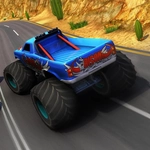
📝Monster Truck Extreme Racing Overview
Strap into a roaring monster truck, hit the nitro, and tear through muddy off-road tracks while racing a friend in split-screen chaos.
💬What is Monster Truck Extreme Racing?
You won't find many racing games that let two people sit side by side and smash monster trucks into each other on the same keyboard. Monster Truck Extreme Racing does exactly that, and it's gloriously messy. The trucks bounce off ramps, tilt on two wheels, and sometimes flip end over end if you hit a bump wrong. The 3D tracks are built for big air, with dirt piles, wooden bridges, and wide open straights where nitro actually matters.
I kept coming back to the split-screen mode because it turns every race into a shoving match. Player 1 uses arrow keys and N for nitro, Player 2 gets WASD and T. That setup sounds simple, but when both of you are fighting for the same corner, elbows get involved. There's a look-back button too—B for Player 1, C for Player 2—which saved me from a last-second block more than once. If you crash into a tree or flip onto your roof, you can tap R to reset the level instantly instead of waiting for the game to sort itself out.
The physics aren't realistic; they're arcade-y and forgiving enough to keep things fun. You'll fishtail through mud, launch off a jump, and somehow land on all four wheels half the time. The other half, you're smashing the restart key and laughing. That's the point. It's a quick, loud racing game that works best with a friend next to you, though you can race solo against the clock or the AI if that's your thing.
👥How to Play Monster Truck Extreme Racing
Player 1
Move: "ARROW KEYS"
Nitro: "N"
Look Back:"B"
Player 2
Move: "W,A,S,D"
Nitro: "T"
Look Back: "C"
Level Restart: "R"
✨Game Tips
Save nitro for long straightaways—hitting it mid-turn will send you sideways into a wall.
Use the look-back button right before a jump to see if your rival is drafting behind you.
If you're playing solo, rest your left hand over arrow keys and your right on N so you can hit nitro without looking.
R key is your best friend after a bad flip; tap it immediately instead of waiting for the truck to settle.
🔧FAQ
Q: Is Monster Truck Extreme Racing free?
A: Yes, it's completely free to play in your browser with no hidden fees.
Q: Can I play Monster Truck Extreme Racing on mobile?
A: The game uses keyboard controls, so a physical keyboard is required to play.
Q: Do I need to download anything to play?
A: No downloads or installs are needed—just open the page and start racing.
Q: Does Monster Truck Extreme Racing support two players?
A: Yes, you can race against a friend on the same keyboard in split-screen mode.
Q: What are the controls for Player 1 and Player 2?
A: Player 1 uses arrow keys + N for nitro, Player 2 uses WASD + T, and both have look-back keys.
Q: How do I restart a level in Monster Truck Extreme Racing?
A: Press the R key at any time to reset the current race and try again.