
Moon Adventure
Play Count0
Published2024-01-05
Supported DevicesPC + Mobile
CategoryAdventure & RPG
Rating★★★★★5.0Rate this game
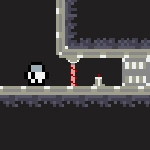
📝Moon Adventure Overview
Sprint, leap, and fumble through low-gravity lunar terrain where one mistimed jump sends you drifting past the platform.
💬What is Moon Adventure?
Low gravity is the real villain in Moon Adventure. You're a little astronaut stranded on the lunar surface, and every jump feels like you're bouncing on a trampoline made of rubber bands. The controls are simple — WASD or arrows to move, touch buttons if you're on mobile — but the physics will humble you fast. You'll try to hop a small gap, tap the jump key, and suddenly you're floating three times higher than intended, drifting toward a spiked crater wall.
What starts as a gentle platformer quickly turns into a game of air control. You have to feather your movement mid-leap, tapping backward to kill momentum, then forward again to land on a ledge the size of a dinner plate. There are collectibles scattered around — little glowing orbs? stars? I can't remember, but I kept grabbing them even when they were risky. The real kicker is when hazards start moving: meteors slide across the floor, platforms crumble if you stand too long, and the distant flag taunts you from across a no-oxygen zone. One run, I executed the perfect sequence of jumps, only to realize I'd backed myself into a dead end and had to backtrack with my oxygen ticking down.
It's not a long game, but it's the kind of little challenge you'll replay for the satisfaction of finally nailing a clean run. The pixel art is decent, the sound effects are basic but not annoying, and the low-gravity gimmick stays fun because it forces you to unlearn normal platforming habits. If you've got ten minutes and want something that feels like a mini space odyssey, this one's worth a shot.
👥How to Play Moon Adventure
W, A, S, D or Arrow Keys: Movement
When you enter the game from a mobile device, you can use the touch controls on the screen.
✨Game Tips
Feather the jump key instead of holding it; short taps give you way more control in low gravity.
Kill your forward momentum mid-air by tapping the opposite direction, then re-commit to land precisely.
Prioritize oxygen pickups over shiny collectibles when the meter starts flashing.
Watch for crumbling platform edges — they usually give a visual cue before they fall.
On mobile, slide your thumb rather than tapping repeatedly; the touch controls respond better to continuous swipes.
Don't rush the first half of a level; many hazards activate after you cross a trigger point, so scout ahead.
🔧FAQ
Q: Is Moon Adventure free to play?
A: Yes, it's completely free on unblocked games sites. No hidden fees or premium unlocks.
Q: Can I play Moon Adventure on my phone?
A: Yes, it works in mobile browsers. Touch controls appear automatically when you load the game on a phone or tablet.
Q: Do I need to download or install anything?
A: No downloads needed. It runs in your browser as an HTML5 game, so just open the page and play.
Q: What are the controls for Moon Adventure?
A: Use WASD or arrow keys to move and jump. On mobile, use the on-screen touch buttons for movement.
Q: Is Moon Adventure safe for school or work?
A: It's a kid-friendly platformer with no violence, gore, or inappropriate content. Suitable for all ages.
Q: Can I save my progress in Moon Adventure?
A: Progress is per-session only. The game doesn't have a save system, but it's short enough to finish in one sitting.