
Moto Beach
Play Count0
Published2020-02-21
Supported DevicesPC
CategoryAdventure & RPG
Rating★★★★★5.0Rate this game
📝Moto Beach Overview
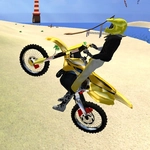
Kick up sand, dodge driftwood, and boost over dunes as you lean into every turn on a beach motorbike that lives for open throttle.
💬What is Moto Beach?
I wasn't expecting much from a beach bike game, but Moto Beach's physics snuck up on me. The sand actually feels loose under the tires, and you'll fishtail if you gun it at the wrong moment. WASD moves your rider, C flips the camera between a chase view and a tighter third-person angle, and left shift gives you a burst of speed that's genuinely thrilling on the downslopes. The first time I hit shift heading into a dune, the screen blurred and I nearly launched into the surf. That's the moment I knew I'd be back.
What makes this click is how the terrain fights you. Wet sand by the water grabs the rear wheel, dry sand up high slows you down, and packed tracks left by earlier runs give you a line to follow if you're paying attention. The camera switch matters more than you'd think—default view hides your rear tire, which can be fatal when you're weaving through rocks or driftwood. I kept losing speed because I'd overcorrect without seeing the back end slide out. Switching to the closer cam fixed my corner entry almost immediately.
There's no story, no timer, no points. Just you, a bike, and a stretch of beach that goes on way longer than you'd expect. It's meditative until you push the boost too hard, then it's pure panic. Perfect for a quick session between classes, and it runs smoothly even on a mediocre laptop.
👥How to Play Moto Beach
• WASD to control motorbike
• C to change camera
• Left shift to boost
✨Game Tips
Tap shift early on flat sand to keep momentum, but save it for hill crests if you want air.
Switch camera with C when threading between rocks—the default view hides your rear wheel slide.
Stay near the waterline for firmer sand and better speed, but watch for incoming waves.
Feather the throttle instead of holding W—full gas on loose sand just spins you out.
Use the packed tire tracks from previous runs as a natural racing line and corner guide.
If you're about to wipe out into a rock, let go of W and tap S to scrub speed without flipping.
🔧FAQ
Q: Is Moto Beach free to play?
A: Yes, it's completely free with no hidden charges or premium features.
Q: Can I play Moto Beach on my phone?
A: The game works on mobile browsers, but WASD controls are designed for a keyboard—touch controls may be limited.
Q: Do I need to download anything to play Moto Beach?
A: No download or installation is needed. Just open the page in any modern browser and ride.
Q: What do the controls do in Moto Beach?
A: WASD controls the bike, C changes the camera angle, and left shift activates a speed boost.
Q: Does Moto Beach work without an internet connection?
A: No, it's a browser game that requires an active internet connection to load.
Q: Is Moto Beach safe for younger kids?
A: Yes, there's no violence or gore—just dirt bike riding on a beach, suitable for all ages.