
Mousy Look
Play Count0
Published2022-02-03
Supported DevicesPC + Mobile
CategoryAdventure & RPG
Rating★★★★★5.0Rate this game
📝Mousy Look Overview
Guide a tiny mouse through tricky platforms where one missed double jump sends you tumbling — but that's half the fun.
💬What is Mousy Look?
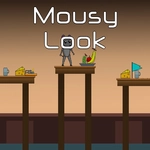
My first run through Mousy Look felt like a throwback to those tiny platformers I used to sneak onto the school computers. You're controlling a mouse (the small whiskered kind, not the pointer) and the goal is simply to keep moving, find the exit, and avoid getting knocked off the edges. Controls are straightforward — WASD or arrows to run, and that double jump? It's the whole game. Tap W or Up once, then again at the exact peak to gain extra height. Mess up the timing and you'll get a short hop that leaves you staring at a ledge just out of reach.
What got me hooked was how the levels use the double jump as a puzzle piece rather than a gimmick. Some gaps look impossible until you stop, watch the little mouse, and realize you need to delay the second press just half a second. The game doesn't hold your hand, but it never feels cheap. I kept dying on a stretch with moving platforms, and each time I could see exactly what I did wrong — too early on the second jump, or I drifted too far right. That's the mark of a fair platformer.
It runs right in your browser, loads fast, and has that unblocked-game charm where you can play for five minutes or lose an entire afternoon. There's no tutorial screen telling you to breathe. Just a mouse, some platforms, and that double jump. I'd recommend it to anyone who likes tight movement and short levels that are tough enough to matter. If you're on a keyboard, keep your fingers light — you'll be pressing W twice more than you think.
👥How to Play Mousy Look
Use WASD or arrow keys for movement.
Use "W" or "Up" arrow key twice for double jump.
✨Game Tips
Time the second W press just before you start falling for maximum height.
Use arrow keys if you're right-handed; WASD if you're not — both work identically.
Watch moving platforms for one full cycle before committing to a jump.
Don't hold movement mid-air after a double jump; release to land exactly where you want.
If a ledge feels out of reach, try a running start before the first jump.
Die on purpose a few times early on to learn the double jump rhythm without pressure.
🔧FAQ
Q: Is Mousy Look free to play?
A: Yes, it's completely free and runs in your browser with no hidden paywalls.
Q: Can I play Mousy Look on mobile?
A: It works best with a keyboard, but you can use on-screen controls if they appear.
Q: Do I need to download anything to play?
A: No downloads or installs needed — just open the page and start jumping.
Q: How do I double jump in Mousy Look?
A: Press W or the Up arrow twice in quick succession. Time the second press for extra height.
Q: What's the best browser for Mousy Look?
A: Modern Chrome, Firefox, or Edge all work fine. Keep the tab focused for smooth input.
Q: Is this game safe for school computers?
A: Yes, it's unblocked and uses simple HTML5, so it won't trigger downloads or popups.