
Multiplication Kids - Math Multiplication Tables
Play Count0
Published2021-04-23
Supported DevicesPC + Mobile
CategoryKids & Educational
Rating★★★★★5.0Rate this game
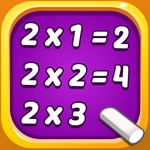
📝Multiplication Kids - Math Multiplication Tables Overview
Can you nail every multiplication table before the timer runs dry? This colorful math sprint turns times tables into fast reflex training.
💬What is Multiplication Kids - Math Multiplication Tables?
I'll admit it—I opened Multiplication Kids - Math Multiplication Tables expecting to yawn through ten minutes of bland flashcard clicking. But the game's cheerful number bubbles and snappy timer caught me off guard. You're not just answering 6×7; you're racing a clock that gently pushes you to recall answers faster. There's something almost arcade-like about watching your correct-answer streak climb, especially when you finally nail the 9s table without thinking.
The setup is simple: a multiplication problem appears, and you either click the right answer or type it on the keyboard depending on the mode. The mouse-only option is great for younger kids still learning to type, while keyboard entry turns it into a speed test for older ones. I found myself switching between the two—clicking felt relaxed, typing felt competitive. The game doesn't overload you with menus or cutesy cutscenes; it gets straight to the numbers, which I respect. A subtle praise prompt after a correct answer (like a chime or a bouncing star) keeps the loop rewarding without being obnoxious.
What kept me coming back was the progression through tables. You're not expected to master everything at once—start with 2s and 5s, then move to 7s and 8s. If you miss one, the game usually shows the correct answer right away, which is perfect for learning from mistakes. There's no punishment, just a quick reset of your streak. In a world of mindless clicker games, this one actually exercises the brain while still feeling like play. Parents won't mind handing this over, and kids won't realize they're studying.
👥How to Play Multiplication Kids - Math Multiplication Tables
Use Mouse To Play and Keyboard
✨Game Tips
Warm up on the 2s and 5s tables first—they build confidence fast.
Use keyboard entry if you already know the tables; it's quicker than mouse clicking.
Don't guess wildly—each wrong answer resets your streak and slows your rhythm.
Pay attention to the timer but don't panic; steady accuracy beats frantic clicking.
If a table feels tricky, stick with it until you get five correct in a row before moving on.
Let younger kids use mouse-only mode until they're comfortable with number keys.
🔧FAQ
Q: Is Multiplication Kids - Math Multiplication Tables free to play?
A: Yes, it's completely free. No hidden fees or premium unlocks—just jump in and start practicing.
Q: Can I play Multiplication Kids on my phone or tablet?
A: Absolutely. Since it's HTML5, it runs in any mobile browser, and the touchscreen works for tapping answers.
Q: Do I need to download anything to play?
A: Nope. Just open the game page in your browser and it loads instantly. No installs, no plugins.
Q: Does this game work on school Chromebooks?
A: Yes, it runs smoothly on Chromebooks as long as you have an internet connection and a modern browser.
Q: Can I choose which multiplication table to practice?
A: Many versions let you pick a specific table (like 7s only) or mix all of them. Check the menu for options.
Q: Is there a time limit on each question?
A: Usually there's a gentle timer per question, but it's not punishing. You can often adjust speed or turn it off in settings.