
Multiplication Master
Play Count0
Published2025-08-28
Supported DevicesPC + Mobile
CategoryKids & Educational
Rating★★★★★5.0Rate this game
📝Multiplication Master Overview
Sharpen your multiplication reflexes with quick-fire sums that ramp up until every answer feels like muscle memory.
💬What is Multiplication Master?
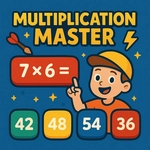
I wasn't expecting much from a math game, but Multiplication Master got its hooks into me fast. The core loop is brutally simple: you see a multiplication problem, you punch in the answer, and the timer keeps ticking. What makes it work is the escalating pace. Early levels lull you into a false sense of security with easy tables, then suddenly you're staring at 7×8 with the clock flashing red and your brain making dial-up noises.
There are two main ways to play. Quick Answers mode gives you three multiple-choice buttons to tap, which is great for warming up or for younger kids who freeze on a keyboard. The typing mode is where the real pressure lives — you have to actually type the number and hit check, and messing up a key means the timer keeps draining. I found myself cursing my own fingers on 12×12 more than I'd like to admit. The game tracks your accuracy and speed per level, so you can see exactly which times tables are your weak spot. Spoiler: it's always the 7s and 8s.
Visually it's clean and distraction-free, with a bright interface that feels more like a game show than a worksheet. No fluff, no story, just you versus the clock. That's exactly what a math drill should be. If you've got a kid who hates flashcards, this might be the sneaky way to get them practicing. If you're an adult who still counts on your fingers sometimes, it'll humble you real quick.
👥How to Play Multiplication Master
- Keyboard / Touchscreen – Type your answer using the number keys or on-screen keyboard.
- Mouse / Tap – Click or tap the answer buttons in Quick Answers mode.
- Press Enter or tap Check to submit your answer.
- Use Menu buttons to change leve
✨Game Tips
Start with Quick Answers mode to learn the button layout before switching to typed answers.
Focus on the 6, 7, and 8 times tables first — they cause the most time loss.
Use the number keys instead of the on-screen keyboard if you're on a desktop.
Keep an eye on the timer color; it shifts from green to red as you slow down.
Take a breath before hard problems like 12×9 — panicking only wastes more seconds.
🔧FAQ
Q: Is Multiplication Master free to play?
A: Yes, it's completely free to play online.
Q: Can I play Multiplication Master on my phone?
A: Yes, it works on mobile browsers with tap controls.
Q: Do I need to download anything?
A: No download needed, just open the game in your browser.
Q: What grade level is Multiplication Master for?
A: It's good for anyone learning or practicing multiplication, usually grades 2-5.
Q: Does the game have timed levels?
A: Yes, each level runs on a timer that gets stricter as you progress.
Q: Can I track my progress?
A: The game shows accuracy and speed stats per level so you can see improvement.