
Music Tools
Play Count0
Published2021-12-30
Supported DevicesPC + Mobile
CategoryKids & Educational
Rating★★★★★5.0Rate this game
📝Music Tools Overview
Grab a virtual tambourine and start making noise in this cheerful musical playground built for tiny hands.
💬What is Music Tools?
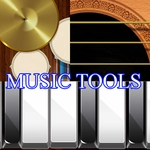
Music Tools drops you into a bright, no-pressure playroom where every click makes a sound. There's no timer, no score, no 'wrong way' to play — just a screen full of colorful instruments waiting for a curious finger. You'll find a piano with keys that light up, a set of drums that thump with real weight, and a few surprise tools like a mini xylophone and some shakers. The whole thing feels like a digital toy box that someone actually tested with a toddler.
The first thing I did was mash my mouse across the piano. Each key responds instantly with a clean note, and the visual feedback (keys glow when hit) makes it satisfying even for an adult. My favorite moment was tapping the drum kit rapidly and hearing a little cymbal crash followed by a bass kick — it accidentally became a halfway decent beat. For little kids, that's the magic: they don't know they're learning rhythm or cause-and-effect; they're just having fun. The layout is deliberately simple, with big buttons and no text menus to get lost in, which means a three-year-old can navigate it after one quick demonstration.
If you're looking for a calm, screen-time activity that won't overstimulate your kid, this is a solid pick. It's not a full music production app — don't expect to save recordings or layer tracks — but as a first introduction to instruments and sound, it nails the basics. I'd keep it bookmarked for rainy afternoons when you need five quiet minutes.
👥How to Play Music Tools
Use your mouse or tap to play.
✨Game Tips
Let your kid bang on the piano keys for a while — they'll love the light-up response.
Try clicking the drum kit in quick bursts to hear the cymbal and bass mix.
After each instrument, ask your child what sound it makes to build early vocabulary.
Switch between mouse and touchscreen if you're on a tablet; both work fine.
Keep the volume at a moderate level so the higher-pitched notes don't startle little ears.
There's no wrong move, so resist the urge to guide their hand too much.
🔧FAQ
Q: Is Music Tools free to play?
A: Yes, it's completely free on unblocked games sites. No hidden fees or paywalls.
Q: Can I play Music Tools on a phone or tablet?
A: Absolutely. The game works with touch controls, so a tablet or smartphone is perfectly fine.
Q: Do I need to download or install anything?
A: No downloads needed. It runs directly in your browser as an HTML5 game.
Q: What age group is Music Tools best for?
A: It's designed for toddlers and preschoolers, roughly ages 2 to 5, but any young child will enjoy it.
Q: Are there any ads or pop-ups during gameplay?
A: On most unblocked sites it's ad-light, but you might see a banner outside the game window.
Q: Can my child save their music or create a song?
A: No, it's a simple exploration toy without saving features. Just open-ended sound play.