
Mustang City Driver 2024
Play Count0
Published2024-08-07
Supported DevicesPC
CategoryAdventure & RPG
Rating★★★★★5.0Rate this game
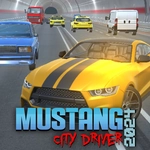
📝Mustang City Driver 2024 Overview
Slide behind the wheel of a roaring Mustang and tear through neon-lit city streets, dodging traffic and hunting the perfect drift line.
💬What is Mustang City Driver 2024?
I'll be honest—most free browser driving games feel like toy cars sliding on ice, but Mustang City Driver 2024 surprised me. The moment you hold W and the engine snarls, you can feel the weight shift as the rear tires bite. It's not a full sim, but the physics lean enough into arcade that every handbrake turn around a corner feels earned. I spent way too long just looping the same intersection, tapping Space to kick the tail out and feathering A and D to catch the slide before it spiraled.
The city itself is small but alive. Traffic cars meander, streetlights bloom at dusk, and the camera can be swung with the mouse so you can admire the body lines mid-drift. There's no story, no missions—just you and a muscle car. That's actually a plus. You can cruise, you can chase the boost meter with F, or you can hold G for slow-mo and pull off stunts that would otherwise be impossible at full speed. I found myself using L to flick the headlights on just before sundown, purely for the vibe.
The keyboard layout takes a minute to internalize, especially if you're used to arrow keys. But once you stop pressing W and A like a maniac, you start reading the gaps in traffic and planning your line two blocks ahead. The boost is best saved for straightaways because hitting it mid-corner just shoves you into a lamppost. And the handbrake? Don't hold it. Tap it. That's the difference between a clean drift and spinning into oncoming traffic.
👥How to Play Mustang City Driver 2024
How to play?
Throttle - W
Brake - S
Steering -
A and D ( left or right )
Handbrake - Space
Mouse to Rotate Camera
Boost - F
Change Camera - C
Slow Motion - Hold G
Lights On/Off - L
✨Game Tips
• Feather A and D instead of holding them; small steering inputs keep the rear tires behind you.
• Save the F boost for long straights—using it while turning will slam you into walls.
• Tap the Space handbrake rather than holding it to initiate a controlled drift.
• Use C to cycle camera views; the hood cam helps with tight traffic gaps.
• Hold G for slow motion when you're about to miss a corner and need to correct the slide.
• Flick L at dusk to see pedestrians and parked cars before you clip them.
🔧FAQ
Q: Is Mustang City Driver 2024 free to play?
A: Yes, it's completely free in your browser with no hidden payments or premium unlocks.
Q: Do I need to download anything to start playing?
A: No download is required. The game runs on HTML5, so it loads right in Chrome, Firefox, or Edge.
Q: Can I play Mustang City Driver 2024 on my phone?
A: The keyboard controls are designed for desktop, but the game may work on mobile if you connect a Bluetooth keyboard.
Q: What are the default controls?
A: W for throttle, S for brake, A and D to steer, Space for handbrake, F for boost, and C to change camera.
Q: Is there a mission or story mode?
A: No story mode. It's an open city sandbox where you drive freely and set your own goals.
Q: Does the game support a controller?
A: The browser version is keyboard-focused. Some gamepads may work, but it's not guaranteed.