
My Little Phone
Play Count0
Published2022-01-10
Supported DevicesPC + Mobile
CategoryKids & Educational
Rating★★★★★5.0Rate this game
📝My Little Phone Overview
Tap the brightly colored screen and watch a toddler-friendly phone come alive with numbers, animals, and silly sounds.
💬What is My Little Phone?
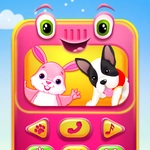
My Little Phone drops a chunky play phone onto your screen, and honestly, it's exactly the kind of thing a three-year-old would mash with sticky fingers. The screen is filled with oversized keys, bright cartoon faces, and little icons that beg to be tapped. Press the number 3 and a cheerful voice says 'three' while the key lights up. Hit the duck picture and a wobbly quack plays. There's even a big green call button that rings with a silly jingle. I poked that duck icon about ten times in a row because the quack was oddly satisfying.
What surprised me is that there's no score, no timer, and no fail state. That's the whole point. My Little Phone isn't trying to challenge anyone; it's a digital busy board for toddlers. Every tap gives instant feedback, which is exactly how little kids learn cause and effect. The mouse controls are forgiving — a kid can click with a shaky hand and still trigger the sound. On a touchscreen it feels even more natural. Parents can hand this over without worrying about in-app purchases, ads, or weird external links.
Will it hold an adult's attention for hours? Not a chance. But for the under-five crowd, it's a quiet win. I'd lump it with those wooden activity cubes that keep popping up in waiting rooms. It occupies, it teaches a bit, and it doesn't punish. My Little Phone is the kind of game you'll forget exists until a toddler grabs your phone and suddenly it's the only thing keeping them happy.
👥How to Play My Little Phone
Use your Mouse to play.
✨Game Tips
• Let toddlers use a touchscreen if possible; mouse clicks work but direct tapping feels more intuitive.
• Tap every icon at least once — hidden animal sounds and number voice triggers are scattered around.
• Keep the volume at a moderate level so the jingles don't startle a small child.
• No need to rush or follow an order; the game never ends or penalizes wandering taps.
• If your kid gets stuck on one button, just move the cursor away and tap elsewhere to redirect attention.
🔧FAQ
Q: Is My Little Phone free?
A: Yes, it's free to play in your browser with no download or payment required.
Q: Can I play My Little Phone on mobile?
A: Yes, it works in mobile browsers and responds to touch, so tablets and phones are great for little hands.
Q: Do I need to download anything to play My Little Phone?
A: No downloads needed. It runs directly in your web browser as an HTML5 game.
Q: Is My Little Phone safe for toddlers?
A: Yes, there are no ads, no external links, and no fail states — just simple tap-and-hear interactions.
Q: What age is My Little Phone best for?
A: It's aimed at preschoolers, roughly ages 2 to 5, but anyone can enjoy the simple sounds and buttons.
Q: Does My Little Phone save progress?
A: No, there's no progress to save. It's a free-play toy where every tap starts fresh.