
My Mini Mart 3D
Play Count0
Published2026-08-18
Supported DevicesPC + Mobile
CategoryAdventure & RPG
Rating★★★★★5.0Rate this game
📝My Mini Mart 3D Overview
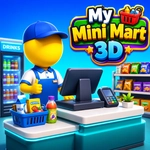
Stock shelves, set prices, and watch impatient customers queue up as you hustle to keep your little 3D mart from falling apart.
💬What is My Mini Mart 3D?
I went in thinking My Mini Mart 3D would be a cozy little time-waster, and two hours later I was yelling at a pixelated grandmother because she wouldn't stop blocking the bread aisle. That's the magic of a good management sim: it looks innocent, then quietly turns you into a tiny retail tyrant. You start with a cramped corner shop, a single shelf of overpriced soda, and a dream. Every customer who walks through the door has a list, a patience meter, and zero sympathy for your restocking struggles.
The loop is simple but weirdly addictive. You grab crates from the back, slap them on shelves, and race to the register when the line builds up. Miss a restock and customers storm out; price something too high and they'll laugh at you (or just ignore it). The real 'aha' moment for me was realizing I could set item prices individually — bump up the chips during a rush, drop the milk before it expires, and watch profits shift in real time. Upgrades change everything: a faster register, bigger storage, even a second employee who handles the register while you restock. Later you unlock a full supermarket layout with produce, frozen food, and checkout lanes you can rearrange.
It's not a deep economy sim — there's no stock market or employee schedules — but that's kind of the point. My Mini Mart 3D nails the chaotic satisfaction of keeping a small business afloat. The 3D view is clean and readable, the sound effects are satisfying (the 'cha-ching' when someone pays never gets old), and there's always one more upgrade you're two customers away from affording. I'd recommend it to anyone who liked Papa's games but wanted a more hands-on, first-person-ish take on running a shop.
👥How to Play My Mini Mart 3D
To Play Game Use Mouse
To Play Game Use Keyboard
✨Game Tips
Keep an eye on the patience meter: a customer with a red face is seconds away from leaving.
Set prices just below the 'too expensive' threshold to sell faster without sacrificing margin.
Restock high-turnover items like milk and bread first thing every morning before opening.
Upgrade your register before anything else — faster checkouts mean shorter lines and happier shoppers.
Use the keyboard shortcuts for switching between restock and register modes to shave valuable seconds.
When you unlock the second employee, send them to the register and handle shelves yourself.
🔧FAQ
Q: Is My Mini Mart 3D free to play?
A: Yes, the full game is free in your browser with no paywalls or hidden fees.
Q: Can I play My Mini Mart 3D on mobile?
A: The HTML5 version works on most modern mobile browsers, though a keyboard and mouse give you better control.
Q: Do I need to download or install anything?
A: No downloads needed. Just open the game page and it runs directly in your browser.
Q: How do I get more customers in My Mini Mart 3D?
A: Keep shelves stocked and prices fair — happy customers come back and bring friends.
Q: What's the fastest way to earn money?
A: Price high-demand items slightly above cost during rush hours and upgrade your register early.
Q: Can I save my progress in My Mini Mart 3D?
A: Yes, the game saves automatically to your browser's local storage after each in-game day.