
Naruto Shippuden Coloring Book: draw Book Ninja
Play Count0
Published2021-04-09
Supported DevicesPC
CategoryKids & Educational
Rating★★★★★5.0Rate this game
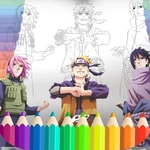
📝Naruto Shippuden Coloring Book: draw Book Ninja Overview
Ever wanted to recolor Naruto's orange jumpsuit or give Sasuke a neon makeover? Now you can.
💬What is Naruto Shippuden Coloring Book: draw Book Ninja?
I'll be honest: I opened this expecting another lazy licensed flash game. But there's something genuinely calming about picking a shade of burnt orange and watching Naruto's jacket fill in without a single fight scene. You get a handful of black-and-white pages featuring characters from the Shippuden arc, each with a color palette tucked off to the side. Click a color, then click a section—the game handles the rest. No timer, no score, no way to lose. It's basically a digital coloring book that smells like ramen if you squint hard enough.
The controls are just mouse work, which means you can zone out to some lo-fi beats while your cursor turns into a paintbrush. One thing I noticed: the outlines are thin, so if your hand twitches, you'll spill yellow all over Naruto's hair. That's both a blessing and a curse because it forces you to slow down and actually look at the shapes. A few pages have tiny details like the leaf symbol on a headband—nobody's judging you if you leave those blank. Honestly, after a stressful day, coloring Kakashi's mask silver is a weirdly perfect way to turn your brain off without feeling guilty about skipping homework.
Fair warning: this isn't an action game, despite the ninja branding. Don't expect jutsu or boss fights. If you go in wanting combat, you'll be disappointed. But if you want a quiet five-minute break where the only decision is whether Sasuke's pants should be blue or black, this thing nails it. It's simple, it's free, and it loads in seconds—exactly what an unblocked game should be when you're stuck in study hall.
👥How to Play Naruto Shippuden Coloring Book: draw Book Ninja
Use Mouse To Play and Follow introduction
✨Game Tips
Click the biggest outlined areas first so you don't accidentally cover the small details later.
If the page lets you zoom, use it—those headband lines are practically hair-thin.
Save your finished art with a screenshot because the game doesn't autosave between sessions.
Test an odd color on a tiny section before committing; some shades look very different after filling.
Move your mouse slowly around facial features—one wrong tap and Naruto has a green eyebrow.
Want a fresh start? Just refresh the page and all the pages reset to black and white.
🔧FAQ
Q: Is Naruto Shippuden Coloring Book free to play?
A: Yes, it's completely free in your browser—no paywalls or locked palettes.
Q: Can I play Naruto Shippuden Coloring Book on mobile?
A: It works on most mobile browsers, though the small sections are easier to tap on a bigger screen.
Q: Do I need to download anything to play?
A: No download needed. It runs right in your web browser as an HTML5 game.
Q: Is this game safe for school computers?
A: Yes, it's just a coloring book—no violence, blood, or inappropriate content.
Q: How many coloring pages does the game have?
A: The exact number varies by version, but you'll usually get several Naruto Shippuden character pages to color.
Q: Can I save my colored drawings?
A: The game may not have a built-in save button, so take a screenshot to keep your work.