
Neon Block
Play Count0
Published2021-06-04
Supported DevicesPC + Mobile
CategoryAdventure & RPG
Rating★★★★★5.0Rate this game
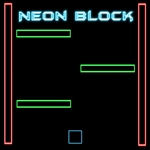
📝Neon Block Overview
Jump, dodge, and ride glowing rails in a world where every surface hums with electric color—how far can you push your neon cube?
💬What is Neon Block?
You control a glowing block in a world built from neon lines and bottomless gaps. The first ten seconds teach you everything: jump to survive, move to land, and never trust a platform that pulses red. What begins as a mellow hop between floating squares escalates into a breathless chain of near-misses where one wrong twitch sends you tumbling into the void. I kept coming back because each death felt like my own timing error—annoying, but never cheap. That's rarer than it sounds in flash platformers. The visual feedback helps: platforms flash white just before they crumble, and a trail of afterimages shows exactly how much air you caught.
Movement feels surprisingly tight for a browser game. A and D or the arrow keys slide you left and right; a mouse click (or a tap) sends you upward. The jump arc is floaty but precise, so you can thread between ceiling lasers if your timing is confident. On mobile, tapping the on-screen arrows works fine, but I found desktop gives you split-second control that touch can't match. One tip: there's a tiny coyote-time window after you walk off a ledge—use it to delay your jump just enough to clear higher obstacles.
The real hook is rhythm. Once you stop reacting and start anticipating, Neon Block becomes a flow-state puzzle. You'll chain three jumps, land on a single glowing tile, then launch again before it fades. That moment—just grazing the edge and still getting the bounce—is pure adrenaline. It's a perfect unblocked game for a five-minute break or a full lunch hour, and the minimalist neon aesthetic keeps your eyes locked without distraction.
👥How to Play Neon Block
Use the mouse to jump and use the "A" and "D" keys or the arrow keys to move.
On your mobile, click on the arrows on the game screen to move
✨Game Tips
Master the mouse click timing: jump slightly before you reach the edge to maximize air control.
Don't stand still on pulsing platforms—they burn out faster than they look.
Use the coyote-time window to extend jumps off ledges without falling.
On mobile, tap the arrow opposite your momentum for quicker direction changes.
Focus on the next platform, not your character, to read gaps earlier.
If you're about to overshoot, release movement in mid-air to shorten your arc.
🔧FAQ
Q: Is Neon Block free to play?
A: Yes, Neon Block is completely free in your browser with no hidden paywalls.
Q: Can I play Neon Block on mobile?
A: Absolutely—tap the on-screen arrows to move and tap the screen to jump.
Q: Do I need to download anything to play Neon Block?
A: No downloads needed. It runs directly in any modern web browser.
Q: What are the controls for Neon Block on desktop?
A: Use A and D or arrow keys to move left and right, and click the mouse to jump.
Q: Is Neon Block unblocked at school or work?
A: Most unblocked games directories host it, so it usually bypasses simple filters.
Q: How do I get better at Neon Block?
A: Practice the coyote-time jump and learn each level's rhythm instead of reacting late.