
New Draw
Play Count0
Published2021-10-05
Supported DevicesPC + Mobile
CategoryAdventure & RPG
Rating★★★★★5.0Rate this game
📝New Draw Overview
Trace a line, turn it into a bridge, and pray the physics gods keep it standing — that's New Draw in one shaky stroke.
💬What is New Draw?
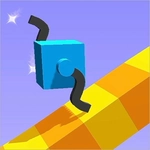
New Draw drops you into a bare-bones 3D space with a magic pen that actually builds physical objects. You click to start a line, drag to extend it, and release to lock it in place. That simple loop hides a surprising amount of depth — I spent my first ten minutes just doodling ramps and watching physics kick them around.
The puzzles start gentle: draw a bridge over a gap, sketch a wall to block a rolling boulder. Then the game quietly turns mean. You'll realize your lines have weight and thickness, and a slightly wobbly stroke means your platform tilts under your feet. I had one infuriating section where I redrew the same staircase seven times because I kept making the steps too steep. The satisfaction when it finally worked? Genuinely huge.
You can play with just a mouse, but keyboard shortcuts for camera rotation help a lot. It's free, runs in any browser, and doesn't care if your PC is a potato. If you like games that make you feel clever without holding your hand, New Draw stays with you.
👥How to Play New Draw
Use Mouse To Play and Keyboard
✨Game Tips
Keep your lines as straight and thick as possible; thin or wobbly strokes collapse under weight.
Use the camera rotation (right-click drag or keyboard) before drawing to check the angle.
Don't draw longer than necessary — shorter spans are sturdier.
If a ledge is too steep, restart the level instead of adding extra lines on top.
Draw support triangles under any bridge longer than half the screen.
In later puzzles, draw a safety wall behind you before triggering moving hazards.
🔧FAQ
Q: Is New Draw free to play?
A: Yes, it's completely free in your browser. No payment or account required.
Q: Can I play New Draw on mobile?
A: The browser version works on most phones, but a mouse is much easier for precise drawing.
Q: Do I need to download anything?
A: No downloads. It runs on HTML5, so just open the page and start drawing.
Q: Does New Draw have levels or an endless mode?
A: There are fixed puzzle levels with increasing difficulty. Some versions include a sandbox mode.
Q: What are the keyboard controls?
A: Mouse draws and rotates. Use arrow keys or WASD to move the camera if available.
Q: Will my progress be saved?
A: It usually saves your level progress in the browser, but clearing cookies may reset it.