
Night Racing
Play Count0
Published2025-07-09
Supported DevicesPC
CategoryAdventure & RPG
Rating★★★★★5.0Rate this game
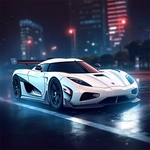
📝Night Racing Overview
Mash the throttle and slice through midnight traffic at triple-digit speeds, threading gaps between cars with your heart in your throat and the nitro ready to fire.
💬What is Night Racing?
Night Racing drops you behind the wheel of a street machine with only your headlights cutting through the black. It's not a sim—it's an arcade rush where every corner hides a slow-moving truck or a guardrail waiting to kiss your bumper. The controls are straightforward: W to hammer the gas, A/D to steer, Space to yank the handbrake, and F for nitro once you've unlocked a car that supports it. I spent my first ten minutes bouncing off invisible barriers because I forgot to turn the lights on with L/K—don't be like me.
The real hook is the sense of speed. In third-person chase cam or cockpit view (tap C), the road tunnels ahead like a black ribbon. Nitro turns the world into a blur, and the handbrake is less about drifting and more about surviving hairpin turns at 180 km/h. The map (M) helps, but it's not a GPS; you still need to read the road. There's a chill detail: other cars have taillights you can spot from a distance, and they actually brake and change lanes. One time I dodged a minivan by inches, clipped a curb, and somehow rode it out—that's the moment I knew I'd keep playing.
It's not perfect. The AI traffic can feel suicidal, and the engine sounds are basic. But for a free browser game, Night Racing nails the late-night highway fantasy. Start the engine with I, pick your camera, and don't forget your lights. If you want a challenge, run without the map and rely on memory. The sense of isolation out there is weirdly calming. Just you, the hum of the engine, and a ribbon of asphalt disappearing into black. No checkpoints, no story—just drive.
👥How to Play Night Racing
W - accelerate
S - brake/reverse
A - steer left
D - steer right
Space - handbrake
F - nitro (available from the 3rd car)
M - enlarge map
L/K - control lights
I - start/stop the engine
C - switch camera
Mouse - camera rotation
ESC/TAB - menu
✨Game Tips
Unlock the third car as fast as possible—the F nitro button only works from that point, and it changes everything.
Tap the handbrake instead of holding it; a quick Space tap tightens your turn without spinning out.
Use L to flick your headlights on before you touch the accelerator, or you'll be driving blind.
Watch for pairs of taillights in the distance—they mark traffic before your headlights reveal them.
Press C to switch to cockpit view for a more intense sense of speed, but third-person is better for dodging.
If you're lost, hit M to enlarge the map, but don't stare at it too long—night traffic doesn't wait.
🔧FAQ
Q: Is Night Racing free?
A: Yes, it's completely free to play in your browser.
Q: Can I play Night Racing on mobile?
A: It works best on desktop with a keyboard, but mobile support depends on your browser.
Q: Do I need to download anything?
A: No download required—just open the page and hit W to drive.
Q: What are the controls for nitro?
A: Nitro is F, but only after you unlock the third car.
Q: Why is my car moving so slowly?
A: Make sure you pressed I to start the engine; the car won't move without it.
Q: Can I change the camera angle?
A: Press C to cycle through camera views, and use the mouse to rotate the camera.