
Nikosan Quest
Play Count0
Published2023-02-01
Supported DevicesPC + Mobile
CategoryAdventure & RPG
Rating★★★★★5.0Rate this game
📝Nikosan Quest Overview
Leap, dodge, and double-jump through a pint-sized platforming adventure where every pixel pit wants to end you.
💬What is Nikosan Quest?
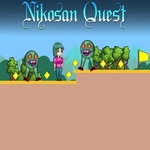
Nikosan Quest drops you straight into a pixelated world with nothing but a jump and a double jump to your name. You'll move with WASD or the arrow keys, and tapping W or Up twice gives you that extra mid-air boost. Sounds easy, right? It isn't once the gaps start stretching wider than your first hop and spikes line every platform edge.
The real hook is how tight the movement feels. I found myself replaying one tricky section over and over because I kept hitting the second jump a split second too soon. That little moment where you save yourself from a pit with a perfectly timed double jump? It never gets old. The levels are short, but each one introduces a new angle on the same core mechanic—moving platforms, disappearing tiles, enemies that patrol in frustrating little arcs.
Visually it's clean and readable, which matters when you're reacting at speed. No clutter, no unfair off-screen traps. Just you, your reflexes, and a handful of checkpoints that feel earned rather than handed out. If you've got twenty minutes and want a platformer that doesn't waste your time, this one scratches that itch.
👥How to Play Nikosan Quest
Use "WASD" or "Arrow" keys for the player's movement.
Use "W" or "Up" arrow key twice for double jump.
✨Game Tips
Save your double jump until you've cleared the ledge, not before.
Tap Up twice quickly but not instantly—time the second press at the peak of your first hop.
Watch for moving platforms; they pause briefly at the ends of their route.
Don't fight the momentum; let go of the direction key if you're overshooting.
Each level has a checkpoint right before the toughest sequence—breathe there.
If you're stuck, try a shorter first jump before committing to the double.
🔧FAQ
Q: Is Nikosan Quest free to play?
A: Yes, it's completely free in your browser with no paywalls or hidden costs.
Q: Can I play Nikosan Quest on mobile?
A: The game works best with a keyboard, but many mobile browsers support touch controls if the site offers them.
Q: Do I need to download anything to play?
A: No downloads needed. Just open the page and it runs instantly as an HTML5 game.
Q: What are the controls for Nikosan Quest?
A: Use WASD or arrow keys to move. Press W or Up twice quickly for a double jump.
Q: Does Nikosan Quest save my progress?
A: Progress usually resets when you close the tab, since it's a browser game without account saves.
Q: Is Nikosan Quest very difficult?
A: It has a steady learning curve. Early levels are forgiving, but later jumps demand precise timing.